


Overview
Full-page scrolling screenshots with crop and mobile view
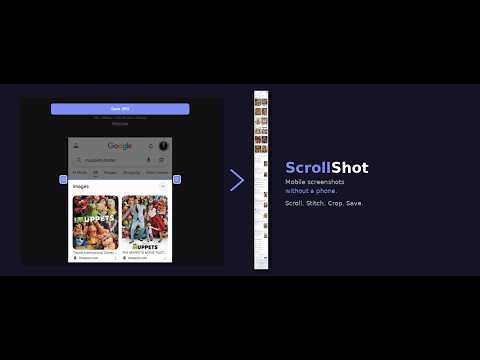
ScrollShot creates mobile website screenshots without a phone. It emulates a mobile viewport right in your desktop browser, scrolls the full page, stitches the frames, and lets you crop out anything you don't want — all in seconds. Mobile screenshot tools fight you with privacy bars, status icons, and usernames. Desktop screenshot tools can't emulate mobile or capture long pages. ScrollShot does both, in your browser, with nothing to clean up. Originally built for magicians who simulate websites in their apps and for anyone gathering evidence where the screenshot has to be clean and defensible. QUICK WORKFLOWS Open from any tab: Press Ctrl+Shift+Y or Alt+Shift+Y. Desktop scrollshot: Enter, Enter. Done. Mobile scrollshot: Hit M or click Mobile View. Then Enter to capture, Enter again to save. Quick area snip: Hit S, drag, Enter to confirm, Enter to save. Higher resolution for posters & ads: Hit H before capturing — outputs at native device pixels instead of 390px. CROPPING The stitch view has draggable top and bottom bars to trim unwanted edges — status bars, usernames, anything you'd rather not share — before saving. The Save bar stays sticky as you crop. KEYBOARD SHORTCUTS To open ScrollShot: Ctrl+Shift+Y or Alt+Shift+Y — From any tab In the popup: Enter — Start/stop full page capture S — Snip (region select) M — Toggle mobile/desktop view H — Toggle HiRes mode ? — Help In stitch view: Enter — Save JPG In snip mode: Enter — Confirm selection Esc — Cancel Drag — Redraw selection PRIVACY ScrollShot works entirely in your browser. No data is sent anywhere. No analytics, no tracking, no accounts. The debugger permission is used solely for mobile viewport emulation and is never active outside that feature. WHAT'S NEW Open ScrollShot from any tab without clicking! Use Ctrl+Shift+Y or Alt+Shift+Y. Customize this keyboard shortcut at chrome://extensions/shortcuts.
5 out of 51 rating
Details
- Version3.17
- UpdatedMay 3, 2026
- Size20.55KiB
- LanguagesEnglish
- DeveloperSteve SheratonWebsite
7500 W Lake Mead Blvd #0297 STE-9-478 Las Vegas, NV 89128 USEmail
chromewebstore@magic.pm - Non-traderThis developer has not identified itself as a trader. For consumers in the European Union, please note that consumer rights do not apply to contracts between you and this developer.
Privacy

ScrollShot has disclosed the following information regarding the collection and usage of your data. More detailed information can be found in the developer's privacy policy.
ScrollShot handles the following:
This developer declares that your data is
- Not being sold to third parties, outside of the approved use cases
- Not being used or transferred for purposes that are unrelated to the item's core functionality
- Not being used or transferred to determine creditworthiness or for lending purposes
Support
For help with questions, suggestions, or problems, visit the developer's support site