

ScrollCap — Full Page Screenshot, Editor & PDF

Overview
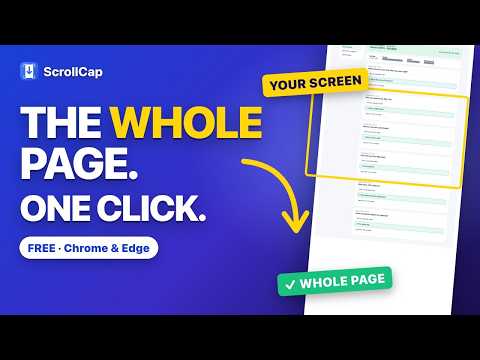
Capture entire web pages in one click. Mark up, hide private info, and save as PNG, JPG or searchable PDF. Private by design.
ScrollCap captures entire web pages in one click — and it actually works on today’s websites. Most screenshot tools break on modern sites: headers repeat down the page, sidebars go missing, images come out blank, and you hit a paywall right after you capture. ScrollCap fixes each of these. ★ FULL-PAGE CAPTURE THAT WORKS • Uses the browser’s own page renderer, so sticky headers appear once and nothing gets stitched crooked • Works inside web apps — CRMs, inboxes and dashboards that scroll a panel (even inside embedded frames) • Always starts from the top and loads late images first, then puts you back where you were • Live progress bar — press Esc to cancel any time ★ CAPTURE EXACTLY WHAT YOU NEED • Entire page, visible area, or drag a box • Click a section: hover to outline a card, table or result, then click to capture just that piece (even if it’s taller than your screen) • Capture every open tab at once • Save as a real, searchable PDF with working links ★ SHARE WITHOUT SHARING SECRETS • Hide private info: covers emails, phone numbers, SSNs, card and ID numbers with solid bars before capturing • Hide things first: click any name, photo or row to cover it, then capture • Solid bars, not blur — hidden text can’t be recovered • Clean capture removes cookie banners, chat bubbles and pop-ups automatically ★ FAST, ONE-CLICK SHARING • Quick-action card after every capture: Copy, Save, PDF or Mark up • Built-in editor: arrows, boxes, circles, text, numbered steps, highlight, blur, crop, undo • Export PNG, JPG or PDF, or copy straight to your clipboard • “My captures” keeps every capture on your computer, searchable and re-editable • Keyboard shortcuts: Alt+Shift+F (entire page), Alt+Shift+V (visible), Alt+Shift+S (drag a box), Alt+Shift+E (click a section) ★ PRIVATE BY DESIGN Your captures never leave your computer. No account, no uploads, no tracking, no ads. Free to use. If we ever add paid extras, the price will be shown upfront — never after you capture a page. Privacy policy: https://scrollcap.com/privacy Questions: support@scrollcap.com
0 out of 5No ratings
Details
- Version1.0.1
- UpdatedOctober 21, 2026
- Size64.52KiB
- LanguagesEnglish
- Developer
Email
support@scrollcap.com - Non-traderThis developer has not identified itself as a trader. For consumers in the European Union, please note that consumer rights do not apply to contracts between you and this developer.
Privacy

This developer declares that your data is
- Not being sold to third parties, outside of the approved use cases
- Not being used or transferred for purposes that are unrelated to the item's core functionality
- Not being used or transferred to determine creditworthiness or for lending purposes
Support
For help with questions, suggestions, or problems, visit the developer's support site