

개요
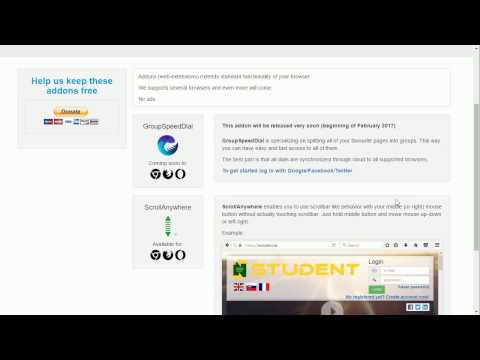
페이지의 어느 곳에서나 가운데 마우스 버튼으로 스크롤 막대를 드래그하십시오. 또한 "잡아서 드래그"스타일을 지원합니다.
NOTE: ScrollAnywhere doesn't work on THIS page (all extensions are disabled on "Chrome Web Store" page due to internal security) Scroll Anywhere enables you to drag scrollbar with your middle / right / left mouse button without touching a scrollbar. Just hold the middle button and move mouse up-down or left-right. You can also change the behavior to simple "grab and drag" style. Warning: very addictive! :) Features: - Momentum allows you to throw page to scroll it faster (just like on your phone) - Middle / Right / Left mouse buttons are supported, see the Options page - Customize scrollbars - make them thinner, change color or hide - Auto-disable on specified domains / sub-domains - Grab and drag scroll like on your phone - Multiplier to speed-up or slow down - On key down enable / disable - Custom scrolling cursor Video preview (0:12) here: https://youtu.be/VLv_wAfVO9A Contribution: - I'm full-time extension developer and your donations is my only income. There are no ads in my extensions! - Please support my work by: - Buy me a coffee - https://ko-fi.com/fastaddons - PayPal donation - https://paypal.me/fastaddons/8.88 - Become my Liberapay supporter! - https://liberapay.com/juraj.masiar/ - Patreon - https://www.patreon.com/fastaddons Thank you! :) Your donation will help me keep this extension working in future versions of Chrome! Known issues: - does not work on https://chrome.google.com/webstore/ (blocked by Chrome) - does not work on browser specific pages like "chrome://extensions" (blocked by Chrome) - does not work on other extensions pages like options page of some addon (blocked by Chrome) - in Linux right click (context menu) cannot be canceled so only middle button is working correctly Recently added features: - The list of changes in last versions is available here: https://addons.mozilla.org/addon/scroll_anywhere/versions/
5점 만점에 4.8점평점 161개
세부정보
개인정보 보호

개발자가 사용자 데이터에 관해 다음과 같이 선언했습니다
- 승인된 사용 사례를 제외하고 서드 파티에 판매하지 않음
- 항목의 핵심 기능과 관련 없는 목적으로 사용하거나 전송하지 않음
- 신용도 판단 또는 대출 목적으로 사용하거나 전송하지 않음
지원
질문, 제안 또는 문제와 관련하여 도움이 필요하면 데스크톱 브라우저에서 이 페이지를 여세요.