概述
一键截取整个网页,或选取页面中的独立滚动区域并保存为 PNG 长图。
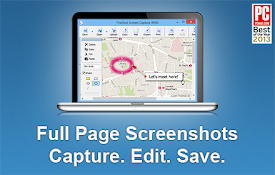
Capture exactly the content you need—even when it extends beyond the visible screen. Scrollable Area & Full Page Screenshot creates clean, high-quality PNG screenshots from either a complete webpage or a specific scrollable section. It is ideal for chat histories, message lists, dashboard panels, activity feeds, reports, documentation, and other content that cannot fit on one screen. Unlike ordinary screenshot tools, you can select an independent scrollable area instead of capturing the entire page. The extension automatically scrolls through the selected content, captures each section, removes overlaps, and stitches everything into a long PNG image. Why install it? • Capture a specific scrollable panel without including the surrounding webpage • Save supported webpages from top to bottom • Automatically scroll, crop, and stitch screenshots • Reduce repeated sticky headers and floating elements • Split extremely long captures into multiple PNG files when necessary • Process screenshots locally without uploading page content • Use a lightweight interface available in English and Simplified Chinese To capture a scrollable area, choose “Select scrollable area,” move the pointer over the content you need, and click the highlighted section. For a regular webpage, choose “Capture full page.” A simple tool for saving conversations, long lists, dashboards, reports, documentation, and other content that extends beyond a single screen.
详情
- 版本1.2.0
- 上次更新日期2026年7月17日
- 大小37.91KiB
- 语言2 种语言
- 开发者
邮箱
wtderek@gmail.com - 非交易者该开发者尚未将自己标识为交易者。欧盟地区消费者须知:消费者权利可能不适用于您与该开发者达成的合约。
隐私权

该开发者已声明,您的数据:
- 不会因未获批准的用途出售给第三方
- 不会为实现与产品核心功能无关的目的而使用或转移
- 不会为确定信用度或放贷目的而使用或转移