


Overview
Read, analyze, and edit your Google Apps Script projects with an AI assistant — review a diff before anything is applied.
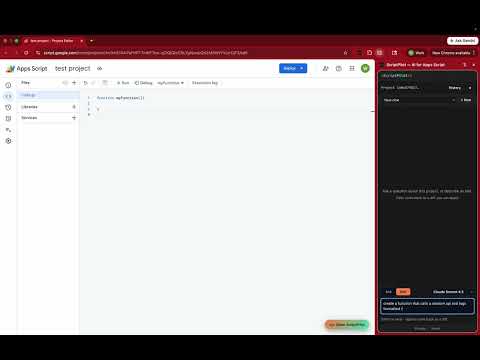
ScriptPilot is an AI assistant built into the Google Apps Script editor. Open the side panel, ask in plain English, and it reads your project, explains your code, and proposes edits — shown as a clear diff you review before anything is applied. Bring your own AI: connect your own API key and choose your model. Your code is only used to answer your request. What you can do: • Ask questions about your existing Apps Script project • Request new functions or changes in plain language • Review every proposed change as a before/after diff • Approve & apply edits directly to your project — or copy the code and paste it yourself • Roll back an applied change if you want to undo it How it works: 1. Open any Apps Script project at script.google.com 2. Open the ScriptPilot side panel and connect your Google account 3. Describe what you want — ScriptPilot replies with a reviewable diff 4. Approve to apply, or discard You stay in control: nothing is written to your project until you explicitly approve it, and applied changes are reversible.
0 out of 5No ratings
Details
- Version0.1.0
- UpdatedJune 30, 2026
- FeaturesOffers in-app purchases
- Size188KiB
- LanguagesEnglish (United States)
- DeveloperWebsite
Email
dev@smallbusinessessupport.services - Non-traderThis developer has not identified itself as a trader. For consumers in the European Union, please note that consumer rights do not apply to contracts between you and this developer.
Privacy

This developer declares that your data is
- Not being sold to third parties, outside of the approved use cases
- Not being used or transferred for purposes that are unrelated to the item's core functionality
- Not being used or transferred to determine creditworthiness or for lending purposes