

ScriptCase Tools
16 个评分
)
概述
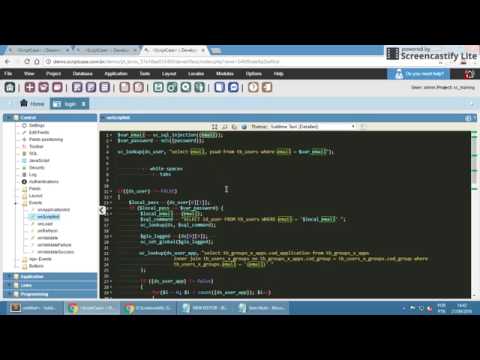
A browser extension to make working with ScriptCase simpler and more productive
This extension adds many new features to ScriptCase development environment (IDE): - a newer and more complete code editor totally based on Sublime Text, with many usefull options/plugins; - restore cursor and scroll to its last position after saving code; - shortcut keys; - many more; If you often use ScriptCase to develop your applications, you've probably noticed that its IDE lacks some basic functionalities (e.g., no shortcut keys, not restoring last cursor position), while others could be improved (e.g., code editor, main menu sensitivity). This Chrome extension was created to fulfill these gaps. Support - Works with ScriptCase 7, 8 and 9 Official repository: https://github.com/AndersonMamede/scriptcase-tools
4.8 星(5 星制)16 个评分
详情
- 版本1.6.2
- 上次更新日期2023年8月27日
- 提供方Anderson Mamede
- 大小739KiB
- 语言English (United States)
- 开发者
邮箱
mamede.anderson@gmail.com - 非交易者该开发者尚未将自己标识为交易者。欧盟地区消费者须知:消费者权利可能不适用于您与该开发者达成的合约。
隐私权
该开发者已声明,您的数据:
- 不会因未获批准的用途出售给第三方
- 不会为实现与产品核心功能无关的目的而使用或转移
- 不会为确定信用度或放贷目的而使用或转移
支持
若有任何疑问、建议或问题,请在桌面浏览器中打开此页面