Item logo image for ScreenTrail

ScreenTrail

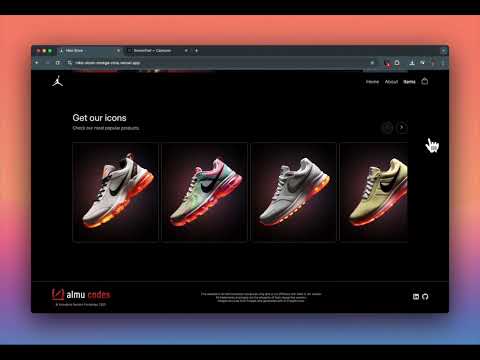
Item media 6 (screenshot) for ScreenTrail
Item video thumbnail
Item media 2 (screenshot) for ScreenTrail
Item media 3 (screenshot) for ScreenTrail
Item media 4 (screenshot) for ScreenTrail
Item media 5 (screenshot) for ScreenTrail
Item media 6 (screenshot) for ScreenTrail
Item video thumbnail
Item media 2 (screenshot) for ScreenTrail
Item media 3 (screenshot) for ScreenTrail
Item media 4 (screenshot) for ScreenTrail
Item media 5 (screenshot) for ScreenTrail
Item media 6 (screenshot) for ScreenTrail

Overview

Professional screenshot tool with floating capture bar, annotation editor, and PDF reports.

🎯 Capture, Edit & Report Screenshots Instantly! 👉Demo mode You have 3 captures to explore ✨ 👉 Take unlimited screenshots with floating capture bar 👉 Advanced annotation tools with shapes, text & highlights 👉 Generate professional PDF reports with all captures 👉 Bulk export to ZIP with organized folders 🔎 Use cases: 👉 QA testing: capture bugs with annotations and share detailed reports 👉 UX research: compare flows, highlight pain points, and document journeys 👉 Benchmarks: track design changes across competitors’ sites 👉 Documentation: create guides and tutorials with annotated screenshots 👉 Team reviews: export feedback packs in PDF or ZIP for faster collaboration How to use on all sites: 👉 Download and Install ScreenTrail extension 👉 Click the extension icon to activate the floating capture bar 👉 Use the floating bar to capture any part of any webpage 👉 Edit your captures with professional annotation tools 👉 Generate comprehensive PDF reports or export to ZIP 👉 Access all your captures in the organized dashboard Contact: 👋 Provide feedback, ask questions, and report bugs on our support page. Frequently asked questions: 👉 Is it free? No. Annual subscription for unlimited access to all premium features. 🎉 👉Demo mode You have 3 captures to explore ✨ 👉 Which websites does it support? Works on almost all websites! Just click the extension icon to activate the floating capture bar on any page. Pages where it does NOT work: -Browser internal pages (chrome://, edge://, about:) -System pages (file:// in some cases) -Pages with strict security policies -Pages that block extensions (some banks, government sites) -Pages with very restrictive Content Security Policy (CSP) Technical limitations: -Restricted pages: Chrome blocks script injection on some pages for security reasons -Pages with iframes: capture may not include iframe content -DRM-protected pages: some streaming sites may block capture 👉 What data is shared with this extension? None! All captures are stored locally on your device. Your privacy is completely protected. 👉 Can I edit my screenshots? Yes! Add arrows, shapes, text, highlights, and blur sensitive information with our advanced editor. 👉 What export formats are supported? Export individual images as PNG/WebP or generate comprehensive PDF reports with all your captures organized.

Details

  • Version
    1.0.5
  • Updated
    October 30, 2025
  • Offered by
    Helpai me
  • Size
    1.24MiB
  • Languages
    English
  • Developer
    Email
    helpaimenow@gmail.com
  • Non-trader
    This developer has not identified itself as a trader. For consumers in the European Union, please note that consumer rights do not apply to contracts between you and this developer.

Privacy

The developer has disclosed that it will not collect or use your data.

This developer declares that your data is

  • Not being sold to third parties, outside of the approved use cases
  • Not being used or transferred for purposes that are unrelated to the item's core functionality
  • Not being used or transferred to determine creditworthiness or for lending purposes

Support

For help with questions, suggestions, or problems, visit the developer's support site

Related

ProNoto: AI Notes, Teleprompter, AI Assistant, & Screenshots

4.8

All-in-one AI assistant with unique floating notes, a browser-based teleprompter, instant screenshots, web capture & more AI Tools.

ZetaMarker - PDF & Web Highlighter

4.3

The privacy-friendly tool for highlighting web pages and PDF files.

Screen Shot

4.7

Capture web pages with "Screen shot" — the ultimate snipping tool for full page screenshot and screen capture of selected areas.

Scrolling screenshot tool & screen capture

4.3

Scrolling Screenshot tool for screen capture and screen sharing

Awesome Screen Recorder & Screenshot

4.7

The best screen recorder and screen capture & screenshot tool to record screen.

PDF Editor

3.7

Edit your documents seamlessly with PDF Editor, the ultimate tool. Write on PDFs, use it as a PDF text editor, and more.

Chrome Capture - Screenshot & GIF

4.7

All-in-one screenshot + GIF capture! Take screenshots (area, full page), record screen & edit instantly.

Screenshot Tool - Screen Capture & Editor

4.7

Innovative screenshot tool lets users screen capture and edit screenshot. Full page screen capture.

Full Page Screenshot

5.0

Capture, annotate & design with backgrounds! All-in-one tool for full-page screenshots, edits & creative designs. Free & powerful.

Screenshot – Screen Capture & Editor-CocoShot

4.9

Full page, area, and desktop screenshot. Built-in screenshot editor and shortcut support for quick screen capture.

Scrolling Screenshot & Full Page Capture

4.3

Capture long websites. Upload PDF's. 20+ annotation tools. Crop, export, share links. 5+ screenshot modes. Edit forever.

SnipCapture - Easy Screenshot & Snipping Tool (Selection,Visible,Full Page)

5.0

One-click screenshots of full webpages, visible areas, or selected sections. Lightweight with built-in editing.

ProNoto: AI Notes, Teleprompter, AI Assistant, & Screenshots

4.8

All-in-one AI assistant with unique floating notes, a browser-based teleprompter, instant screenshots, web capture & more AI Tools.

ZetaMarker - PDF & Web Highlighter

4.3

The privacy-friendly tool for highlighting web pages and PDF files.

Screen Shot

4.7

Capture web pages with "Screen shot" — the ultimate snipping tool for full page screenshot and screen capture of selected areas.

Scrolling screenshot tool & screen capture

4.3

Scrolling Screenshot tool for screen capture and screen sharing

Awesome Screen Recorder & Screenshot

4.7

The best screen recorder and screen capture & screenshot tool to record screen.

PDF Editor

3.7

Edit your documents seamlessly with PDF Editor, the ultimate tool. Write on PDFs, use it as a PDF text editor, and more.

Chrome Capture - Screenshot & GIF

4.7

All-in-one screenshot + GIF capture! Take screenshots (area, full page), record screen & edit instantly.

Screenshot Tool - Screen Capture & Editor

4.7

Innovative screenshot tool lets users screen capture and edit screenshot. Full page screen capture.

Google apps