

ScreenSpeed - Quick Screenshots
1 rating
)
Overview
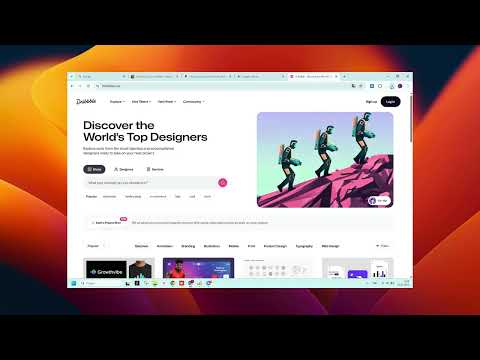
Quick screenshots. Multi-tab support!
Unlike other tools, ScreenSpeed is optimized for batch processing. Save hours of manual work by grabbing every open website in one click. ✨ KEY FEATURES: One-Click Capture: Instant screenshot of your active window. Batch Screenshot: Capture ALL open tabs simultaneously. Selective Capture: Hold Ctrl and select specific tabs to snap only what you need. Auto-Save: Files go straight to your "Downloads/ScreenSpeed" folder. Smart Naming: Automatic file naming with date, time, and page title. Custom Formats: Choose between high-quality PNG or optimized JPEG. Hotkeys: Set your own shortcuts for lightning-fast workflow. 🛠 PERFECT FOR: Developers & QA: Document bugs across multiple pages instantly. Designers: Collect inspiration from all open tabs in seconds. Students: Save research materials and articles for offline use. Managers: Create quick reports and visual instructions. 🔒 PRIVATE & SECURE: Built on Manifest V3, ScreenSpeed respects your privacy. We don't track your data or require unnecessary permissions. 100% Free and Ad-free.
5 out of 51 rating
Details
- Version3.0.1
- UpdatedFebruary 8, 2026
- Offered bysamohvalovfs
- Size22.4KiB
- Languages2 languages
- Developer
Email
samohvalovfs@gmail.com - Non-traderThis developer has not identified itself as a trader. For consumers in the European Union, please note that consumer rights do not apply to contracts between you and this developer.
Privacy

This developer declares that your data is
- Not being sold to third parties, outside of the approved use cases
- Not being used or transferred for purposes that are unrelated to the item's core functionality
- Not being used or transferred to determine creditworthiness or for lending purposes
Support
For help with questions, suggestions, or problems, please open this page on your desktop browser