Item logo image for Screenshot with URL - Full Page Screenshot

Screenshot with URL - Full Page Screenshot

selectorshub.com
Featured
5.0(

30 ratings

)
ExtensionDeveloper Tools7,000 users
Item media 5 (screenshot) for Screenshot with URL - Full Page Screenshot
Item media 6 (screenshot) for Screenshot with URL - Full Page Screenshot
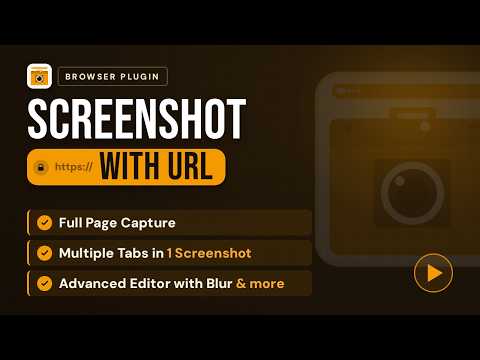
Item video thumbnail
Item media 2 (screenshot) for Screenshot with URL - Full Page Screenshot
Item media 3 (screenshot) for Screenshot with URL - Full Page Screenshot
Item media 4 (screenshot) for Screenshot with URL - Full Page Screenshot
Item media 5 (screenshot) for Screenshot with URL - Full Page Screenshot
Item media 6 (screenshot) for Screenshot with URL - Full Page Screenshot
Item video thumbnail
Item media 2 (screenshot) for Screenshot with URL - Full Page Screenshot
Item video thumbnail
Item media 2 (screenshot) for Screenshot with URL - Full Page Screenshot
Item media 3 (screenshot) for Screenshot with URL - Full Page Screenshot
Item media 4 (screenshot) for Screenshot with URL - Full Page Screenshot
Item media 5 (screenshot) for Screenshot with URL - Full Page Screenshot
Item media 6 (screenshot) for Screenshot with URL - Full Page Screenshot

Overview

Capture full page, visible & selected area screenshots with URL bar & hidden Bookmarks, record screen with inbuilt editor.

Screenshot with URL - the Full Page Screenshot extension that captures any webpage with the URL automatically included and your personal bookmarks safely hidden. Built for testers, developers, and designers who need real context in every screenshot. ★ WHY THIS IS DIFFERENT ★ Most full page screenshot extensions just stitch a long image and leave you cropping browser frames by hand. This one captures the URL bar exactly as it appeared in your browser - and automatically hides your personal bookmarks from the image, so you can share screenshots freely without exposing your private bookmark list to teammates, clients, or the internet. It's the context you need, without the context you don't. ★ HOW TO USE ★ 1. Install the extension and pin it to your toolbar 2. Click the icon and pick your capture mode 3. The screenshot saves automatically to your downloads folder 4. Click Settings to customize the URL bar style, file format, and save location ★ CAPTURE MODES ★ - Full Page Screenshot - auto-scroll the entire webpage and stitch it into one long image, no matter how long the page is - Visible Area Screenshot - capture exactly what's on screen right now - Selected Area Screenshot - drag to capture any region of the page - Dual Select - pick two separate regions and combine them into a single screenshot (perfect for a form field next to its error message, or before/after states on the same page) - Full Email Screenshot - capture entire Gmail or Outlook threads as one continuous image - 2-Page Screenshot - capture two browser tabs side by side - Dynamic Dropdown & Calendar Capture - screenshot open dropdowns, date pickers, and hover menus without them closing on click ★ MORE THAN SCREENSHOTS ★ - Save as PDF - export the full page as a PDF, perfect for archiving webpages, sharing offline, or attaching to reports - Screen Recording with audio - record any browser tab as video - Network Log Capture - save full network activity alongside the screenshot - Console Log Capture - preserve DevTools console output with the image - Built-in Editor - annotate, erase, crop, blur, and export without leaving the page ★ EDITING TOOLS ★ ✏️ Pen - freehand drawing 🧽 Eraser - remove specific annotations or marks without undoing everything ➡️ Arrow - point to important elements ⬜ Rectangle - highlight areas ⭕ Circle - circle key content 🔤 Text - add draggable text annotations 🖍️ Highlight - semi-transparent marker 🔲 Blur - pixelate sensitive information ✂️ Crop - trim the final image ★ PRIVACY-FIRST BY DEFAULT ★ - Your personal bookmarks are automatically hidden in every screenshot - share captures with anyone without leaking your bookmark list - Blur tool for pixelating sensitive content before sharing - No data collection, no account required, no uploads - everything runs locally in your browser - Screenshots stay on your device, always ★ CUSTOMIZATION ★ - Save as PNG, JPEG, or PDF - pick the format that fits your workflow - Choose your default download location - Two URL bar styles: Chrome Dark or Minimal Light - Show or hide the bookmarks bar (hidden by default for privacy) - Enable console log and network log capture from Settings when needed for bug reports ★ SMART FILE NAMING ★ Screenshots are automatically named with the domain and timestamp, so you never have to think about renaming them: Example: github_com_20240203_143052.png ★ PERFECT FOR ★ - Bug reports and QA test evidence (Jira, GitHub, Linear, Bugzilla) - Documentation, tutorials, and how-to guides - Customer support escalations - Sharing webpages with full URL proof - Archiving web pages as PDF for offline reference - Client presentations and design reviews - Internal wiki and Confluence pages - Social media content with browser context ★ BUILT BY THE SELECTORSHUB TEAM ★ Made by the creators of SelectorsHub - the XPath and selector tool trusted by QA engineers, automation testers, and developers worldwide. ★ SUPPORT ★ Found a bug or have a feature request? Email support@selectorshub.com - we ship fast.

Details

  • Version
    1.3.3
  • Updated
    May 12, 2026
  • Size
    206KiB
  • Languages
    English (United States)
  • Developer
    SelectorsHub Tech Private Limited
    Hebbal Bengaluru, Karnataka 560094 IN
    Website
    Email
    support@selectorshub.com
  • Non-trader
    This developer has not identified itself as a trader. For consumers in the European Union, please note that consumer rights do not apply to contracts between you and this developer.

Privacy

Manage extensions and learn how they're being used in your organization
The developer has disclosed that it will not collect or use your data. To learn more, see the developer’s privacy policy.

This developer declares that your data is

  • Not being sold to third parties, outside of the approved use cases
  • Not being used or transferred for purposes that are unrelated to the item's core functionality
  • Not being used or transferred to determine creditworthiness or for lending purposes

Support

For help with questions, suggestions, or problems, please open this page on your desktop browser

Google apps