

AVIF Studio - Image Editor With AVIF Support

總覽
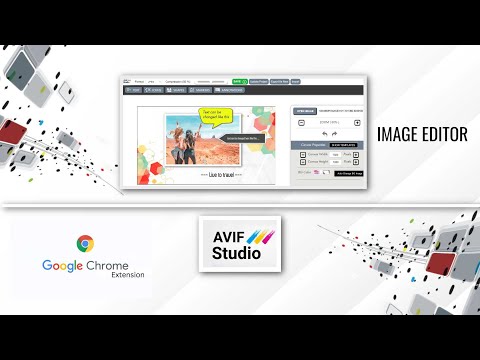
Extension for image editing and annotation. Save image in various formats. AVIF, WEBP, JPG, PNG, and ICO image formats are supported
A simple extension for basic image editing. It can also be used for capturing web page screenshots and save the captured screen to various image formats, such as AVIF , PNG, WEBP , JPG , JPEG & PDF images. The captured screens can be annotated in a professional and awesome way. There are various tools that make labeling and annotating fun and interesting. Annotation templates are available to make the process as easy as possible. One of the main advantages of this editor is that you can export the annotated project and import it at a later point in time. In other snipping and annotation tools, once you are done with the annotation and save it as an image, you won't be able to modify the annotations at a later point in time. AVIF Studio is an ultimate image editing toolkit with various features . Graphics Creation For Websites -------------------------------------------------------------- AVIF studio support WEBP and AVIF image formats , these can be highly useful in the creation of web graphics as these formats provide a higher compression options that result in optimized images with less file size. High Quality Graphics Creation ------------------------------------------------------------------- AVIF Studio support TIFF , BITMAP and TARGA image formats, These formats will give very high quality image outputs that can be used for Video production related requirements. Creating ICO files for Operating system Icons. ------------------------------- AVIF Studio support ICO export. Your graphic work can be exported as .ico file , that can be used as operating system icons . Image Converter : -------------------------------------------------- AVIF Studio can be used as an image converter, as your images can be converted to multiple image formats. Photo Collage Maker: ----------------------------------------------------- AVIF Studio can be used to create customized photo collages. Various templates are available that can be customized to suit your requirements and use cases. Background Removal Tool: ------------------------------------------------------ AVIF Studio is equipped with the tools to remove the background from your images and then add new background images of your choice. The AVIF image format is very useful when creating web images, as it can maintain quality with smaller file sizes. AVIF Studio is a perfect tool to convert images to AVIF format and also to create graphics and save them as AVIF images.
4.7 分 (滿分 5 分)3 個評分
詳細資料
隱私權

這位開發者就你的資料做出下列聲明:
- 除經核准的用途外,不會將你的資料販售給第三方
- 不會基於與商品核心功能無關的目的,使用或轉移資料
- 不會為了確認信用度或基於貸款目的,使用或轉移資料
支援
如有疑問或建議,請使用電腦版瀏覽器開啟這個頁面