


總覽
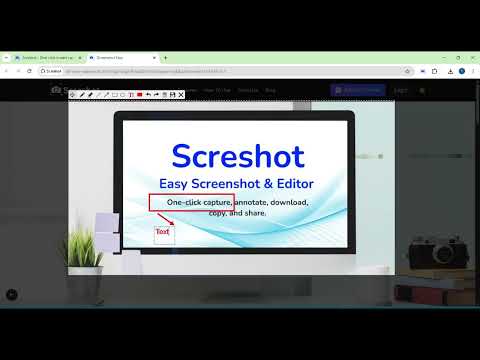
Capture and edit your screen in one click. Fast, simple, and built for productivity.
Screshot is the easiest way to capture, edit, and share your screen — all from your browser. No more switching tabs, installing heavy software, or dealing with complicated tools. ✅ Key Features: 📸 One-click Capture – Just click and drag to capture exactly what you need, or double-click to grab the entire screen in an instant. ✏️ Built-in editor – Add text, arrows, blur, crop, and highlight 📋 Copy to clipboard – Instantly paste your screenshot anywhere 💾 Download with one click – Save to your device in seconds ⚡ Lightweight and fast – No clutter, no distractions Whether you’re a developer, designer, teacher, or content creator — Screshot helps you save time, communicate clearly, and stay in flow. 👉 Add Screshot to Chrome and simplify your screen capture workflow today! ⚡ Pro Tip - Press Ctrl + Shift + S to capture instantly. Super fast, super easy!
4.0 分 (滿分 5 分)70 個評分
詳細資料
隱私權

這位開發者就你的資料做出下列聲明:
- 除經核准的用途外,不會將你的資料販售給第三方
- 不會基於與商品核心功能無關的目的,使用或轉移資料
- 不會為了確認信用度或基於貸款目的,使用或轉移資料
支援
如有疑問或建議,請使用電腦版瀏覽器開啟這個頁面