

Screshot - One click screen capture and editor

Panoramica
Capture and edit your screen in one click. Fast, simple, and built for productivity.
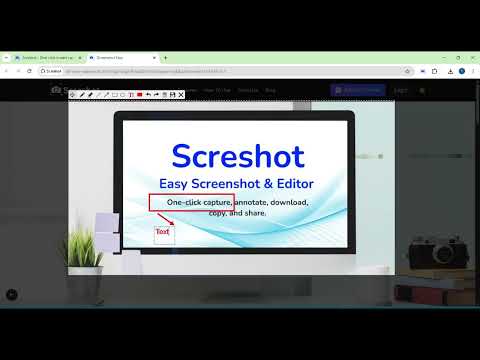
Screshot is the easiest way to capture, edit, and share your screen — all from your browser. No more switching tabs, installing heavy software, or dealing with complicated tools. ✅ Key Features: 📸 One-click Capture – Just click and drag to capture exactly what you need, or double-click to grab the entire screen in an instant. ✏️ Built-in editor – Add text, arrows, blur, crop, and highlight 📋 Copy to clipboard – Instantly paste your screenshot anywhere 💾 Download with one click – Save to your device in seconds ⚡ Lightweight and fast – No clutter, no distractions Whether you’re a developer, designer, teacher, or content creator — Screshot helps you save time, communicate clearly, and stay in flow. 👉 Add Screshot to Chrome and simplify your screen capture workflow today! ⚡ Pro Tip - Press Ctrl + Shift + S to capture instantly. Super fast, super easy!
4,0 su 570 valutazioni
Dettagli
- Versione2.0.4
- Ultimo aggiornamento:16 giugno 2025
- Dimensioni85.61KiB
- LingueEnglish (United States)
- SviluppatoreSito web
Email
screenshoteasy@gmail.com - Non commercianteQuesto sviluppatore non si è identificato come commerciante. Per quanto riguarda i consumatori nell'Unione Europea, tieni presente che i diritti del consumatore non sono applicabili ai contratti stipulati tra te e questo sviluppatore.
Privacy

Questo sviluppatore dichiara che i tuoi dati:
- Non vengono venduti a terze parti, se non per i casi d'uso approvati.
- Non vengono usati o trasferiti per finalità non correlate alle funzionalità principali dell'elemento.
- Non vengono usati o trasferiti per stabilire l'affidabilità creditizia o per finalità di prestito.
Assistenza
Per ricevere assistenza in merito a domande, suggerimenti o problemi, apri questa pagina nel browser desktop