

Screshot - One click screen capture and editor

Ringkasan
Capture and edit your screen in one click. Fast, simple, and built for productivity.
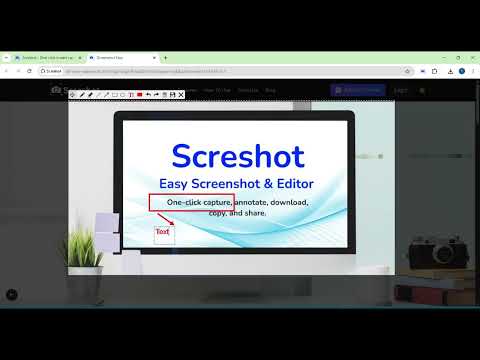
Screshot is the easiest way to capture, edit, and share your screen — all from your browser. No more switching tabs, installing heavy software, or dealing with complicated tools. ✅ Key Features: 📸 One-click Capture – Just click and drag to capture exactly what you need, or double-click to grab the entire screen in an instant. ✏️ Built-in editor – Add text, arrows, blur, crop, and highlight 📋 Copy to clipboard – Instantly paste your screenshot anywhere 💾 Download with one click – Save to your device in seconds ⚡ Lightweight and fast – No clutter, no distractions Whether you’re a developer, designer, teacher, or content creator — Screshot helps you save time, communicate clearly, and stay in flow. 👉 Add Screshot to Chrome and simplify your screen capture workflow today! ⚡ Pro Tip - Press Ctrl + Shift + S to capture instantly. Super fast, super easy!
4,0 dari 570 rating
Detail
- Versi2.0.4
- Diupdate16 Juni 2025
- Ukuran85.61KiB
- BahasaEnglish (United States)
- DeveloperSitus Web
Email
screenshoteasy@gmail.com - Non-pedagangDeveloper ini tidak mengidentifikasi diri sebagai pedagang. Bagi konsumen di Uni Eropa, perlu diperhatikan bahwa hak konsumen tidak berlaku untuk kontrak antara Anda dan developer ini.
Privasi

Developer ini menyatakan bahwa data Anda
- Tidak dijual ke pihak ketiga, di luar kasus penggunaan yang disetujui
- Tidak digunakan atau ditransfer untuk tujuan yang tidak terkait dengan fungsi inti item
- Tidak digunakan atau ditransfer untuk menentukan kelayakan kredit atau untuk tujuan pinjaman
Dukungan
Untuk mendapatkan bantuan terkait pertanyaan, saran, atau masalah, buka halaman ini di browser desktop Anda