


Overview
Screen recording made simple. Record, upload, and share instantly with OpenKap.
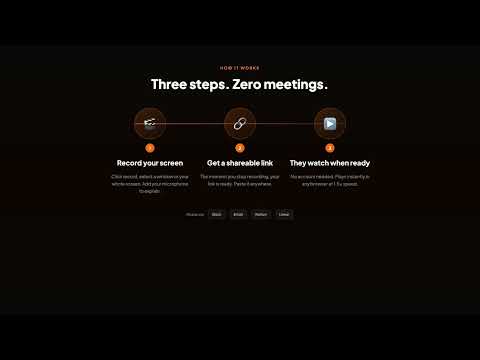
OpenKap makes screen recording effortless. Whether you're creating tutorials, reporting bugs, giving feedback, or recording presentations — just click and record. WHY OpenKap? • One-Click Recording — No complicated setup. Click the extension icon and start recording immediately. • Multiple Recording Modes — Record your entire screen, a specific window, or just a browser tab. • Audio Options — Capture system audio, microphone, or both. Perfect for voiceovers and explanations. • Camera Overlay — Add a webcam bubble to your recordings for a personal touch. • Instant Sharing — Recordings are automatically uploaded. Get a shareable link the moment you stop recording. • High Quality — Record in up to 4K resolution at 60fps for crisp, professional videos. PERFECT FOR: → Product demos and walkthroughs → Bug reports and technical support → Tutorial and training videos → Async video messages for remote teams → Student presentations and assignments → Customer feedback and reviews HOW IT WORKS: 1. Click the OpenKap icon 2. Choose what to record (screen, window, or tab) 3. Hit record 4. Stop when done — your video link is ready to share No watermarks. No time limits. Just simple, fast screen recording.
5 out of 54 ratings
Details
- Version1.0.9
- UpdatedApril 14, 2026
- Size139KiB
- LanguagesEnglish
- DeveloperWebsite
Email
contact@gurpreetkait.in - Non-traderThis developer has not identified itself as a trader. For consumers in the European Union, please note that consumer rights do not apply to contracts between you and this developer.
Privacy

OpenKap has disclosed the following information regarding the collection and usage of your data. More detailed information can be found in the developer's privacy policy.
OpenKap handles the following:
This developer declares that your data is
- Not being sold to third parties, outside of the approved use cases
- Not being used or transferred for purposes that are unrelated to the item's core functionality
- Not being used or transferred to determine creditworthiness or for lending purposes
Support
For help with questions, suggestions, or problems, visit the developer's support site