


Overview
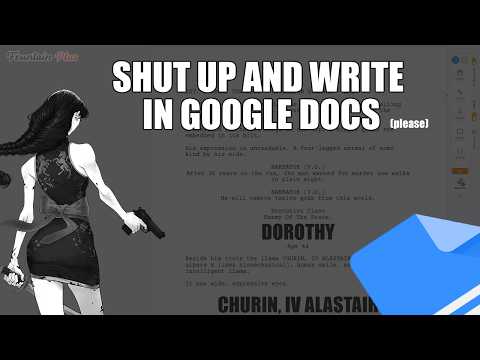
It's 'WriterDuet for Google Docs' with key bindings plus a ChromeOS Editor
Format screenplays directly inside Google Docs™ with Fountain Plus Screenplay Writer For Google Docs, a free, privacy-focused screenwriting extension. Write in standard screenplay layout or plain-text Fountain markup, run real-time script reports, and export to FDX, PDF, or FadeIn without signups or paywalls. Fountain+ is free screenwriting software with a dashboard, a script checker, reports, and an editor. Write in standard format or in Fountain, and you're on your way. At any time you can take your work elsewhere, or use Fountain+ to export to PDF. There are no mandatory signups, no installs, and no servers training on your data with LLMs or AI. Keep the tools you already use, move your work between them, and come back when it suits you. My goal is to give writers more options: draft in Google Docs™, run structural checks, then export cleanly to whatever editor you prefer with the benefit of existing tooling for grammar and spellchecks WHY WRITERS CHOOSE FOUNTAIN+ • 100% Free: Start writing immediately in Google Docs without creating a separate profile or giving up email addresses. • Complete Data Privacy: Your scripts stay in your Google Drive. Zero data training, zero server uploads, and 100% AI-free. • Full File Compatibility: Export seamlessly to Final Draft (.fdx), PDF, FadeIn, and Fountain formats with no file lock-in. • Real-Time Script Analytics: Access scene, character, location, dialogue, and story reports directly in your Google Docs side panel. • Convert between Fountain, Final Draft (FDX), FadeIn, PDF with no paywall. KEY FEATURES 1. Screenplay Formatting in Google Docs: Auto-formats character names, dialogue, parentheticals, and scene headings as you type. 2. In-Browser Script Reports: Run structural checks, character page counts, and scene breakdowns without leaving your document. 3. One-Click Converter: Convert plain text Fountain markup to production-ready FDX or PDF files instantly. 4. Seamless Collaboration: Leverage built-in Google Docs comments, version history, and real-time co-writing with zero friction. HOW TO GET STARTED 1. Open any Google Doc. 2. Click the Fountain+ icon in the bottom-right sidebar. 3. Start typing your script or formatting plain text. Love using Fountain+? Leave a review to help other screenwriters discover free, open screenwriting tools!
5 out of 56 ratings
Details
- Version1.0.10
- UpdatedOctober 15, 2026
- Size15.79MiB
- Languages14 languages
- DeveloperWebsite
Email
support@teamlongshot.com - Non-traderThis developer has not identified itself as a trader. For consumers in the European Union, please note that consumer rights do not apply to contracts between you and this developer.
Privacy

Fountain+ Screenplay Writer has disclosed the following information regarding the collection and usage of your data. More detailed information can be found in the developer's privacy policy.
Fountain+ Screenplay Writer handles the following:
This developer declares that your data is
- Not being sold to third parties, outside of the approved use cases
- Not being used or transferred for purposes that are unrelated to the item's core functionality
- Not being used or transferred to determine creditworthiness or for lending purposes
Support
For help with questions, suggestions, or problems, please open this page on your desktop browser