

ScreenAI – Screenshot to ChatGPT & Claude & Gemini

Overview
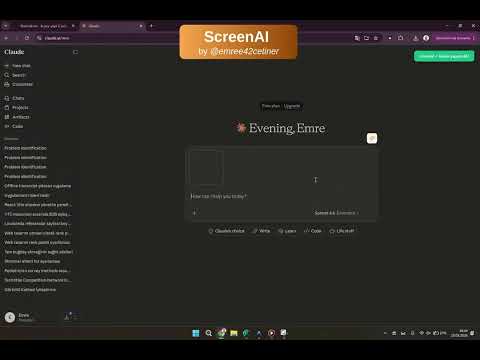
Send screenshots directly to ChatGPT, Claude, or Gemini in 2 clicks. The fastest AI screenshot tool for instant image analysis.
Stop breaking your workflow. Taking a screenshot, saving it, switching tabs, and uploading it to an AI prompt takes too much time and kills your focus. ScreenAI is a lightweight, instant AI screenshot tool that pipes your visual context directly to your active ChatGPT, Claude, or Gemini tabs in just 2 clicks. Whether you need an image to text AI converter, an AI screen summarizer, or a quick way to ask questions about your screen, ScreenAI bridges the gap instantly. 🚀 Why ScreenAI? Zero API Costs: It uses your active web sessions. No expensive OpenAI or Anthropic API keys required! Instant AI Integration: Send visual context to ChatGPT (Vision), Claude, or Gemini without ever leaving the page you are working on. Privacy First: Your screenshots go straight from your browser to your AI tab. No middleman servers, no data logging. 🎯 Perfect For: Developers debugging code from tutorials or documentation. Students needing instant summaries of slides, graphs, or videos. Designers and Marketers analyzing visual content and layouts. Anyone looking to boost their daily productivity with an AI image assistant. Transform how you use AI. Install ScreenAI today and turn any part of your screen into an actionable AI prompt instantly.
5 out of 51 rating
Details
- Version1.1.2
- UpdatedMarch 25, 2026
- Size13.98KiB
- LanguagesEnglish
- DeveloperWebsite
Email
emree42cetiner@gmail.com - Non-traderThis developer has not identified itself as a trader. For consumers in the European Union, please note that consumer rights do not apply to contracts between you and this developer.
Privacy

This developer declares that your data is
- Not being sold to third parties, outside of the approved use cases
- Not being used or transferred for purposes that are unrelated to the item's core functionality
- Not being used or transferred to determine creditworthiness or for lending purposes
Support
For help with questions, suggestions, or problems, visit the developer's support site