

Screen Share Privacy & Blur - Privacy Lens

Overview
Blur or hide media, redact sensitive text and form fields, protect tab titles, and restore pages after screen shares or recordings.
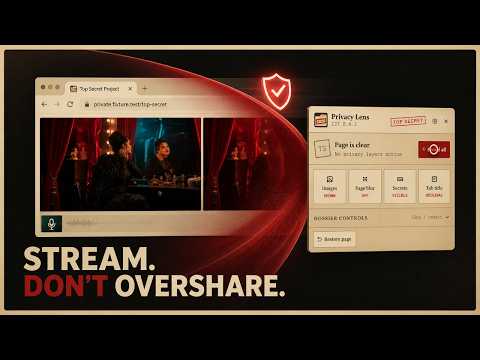
Privacy Lens adds a compact, draggable privacy controller to ordinary webpages. Use it before a screen share, recording, public presentation, or shoulder-surf risk to blur or hide images and video, apply adjustable page blur, replace revealing selected or all tab titles with “Top Secret,” and conceal emails, phone numbers, credit card numbers, Bitcoin and crypto addresses and keys, API and access tokens, credential values, or chosen literal terms. Sensitive text can use a government-document-style black redaction or a blur. Built-in categories are individually selectable, custom words stay literal, and advanced users can add bounded custom regex secret types. The same session tab picker is available from both the page widget and settings. Every control is reversible. Dynamic page content is handled automatically. Matching inputs and editable controls are visually concealed without changing what the page stores, validates, copies, or submits. Form-field protection is on by default and can be disabled in Settings. Preferences, custom rules, and opt-in remembered-site rules stay in local browser storage. Optional NSFW screening is disabled by default. If enabled, the extension compresses page images to at most 512 px and sends only those image bytes to the configured API. Safe verdicts reveal the image; unsafe, pending, and error states stay blacked out. No image model or remote code is bundled in the extension. No account. No analytics. No page-text upload. No browsing-history sync. No remote assets.
0 out of 5No ratings
Details
- Version0.5.4
- UpdatedAugust 18, 2026
- Offered byWiplashAI
- Size71.97KiB
- LanguagesEnglish (United States)
- DeveloperWestward Envoy Technologies LLC
124 Tanager Dr Rhome, TX 76078-5201 USEmail
jordanculverdev@gmail.comPhone
+1 832-794-8791 - TraderThis developer has identified itself as a trader per the definition from the European Union and committed to only offer products or services that comply with EU laws.
- D-U-N-S137615877
Privacy

Screen Share Privacy & Blur - Privacy Lens has disclosed the following information regarding the collection and usage of your data. More detailed information can be found in the developer's privacy policy.
Screen Share Privacy & Blur - Privacy Lens handles the following:
This developer declares that your data is
- Not being sold to third parties, outside of the approved use cases
- Not being used or transferred for purposes that are unrelated to the item's core functionality
- Not being used or transferred to determine creditworthiness or for lending purposes
Support
For help with questions, suggestions, or problems, please open this page on your desktop browser