


Overview
Record tabs in responsive Desktop, Mobile & iPad views. Save your original in HD or compress the video size locally.
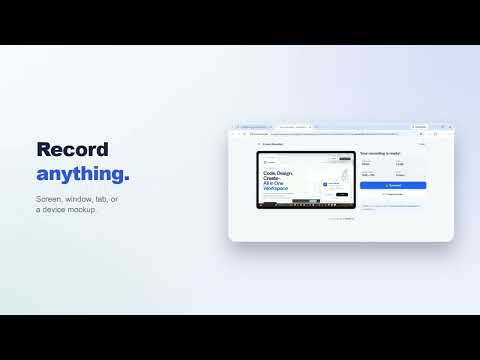
Our Screen Recorder is the fast, free, and private way to capture anything on screen and turn it into a polished, shareable video in seconds. Record the entire screen, a single window, or one tab in stunning 4k, HD, or show a live website exactly as it looks on a phone, tablet, or laptop. No watermark. No sign up. No time limit. Everything runs locally, so recordings stay completely private and ready to share the moment they stop. Whether the goal is a professional product demo, a step-by-step tutorial, a clear detailed bug report, or a quick clip for a teammate, Screen Recorder makes it effortless. Here is everything it does, and every reason to install it today. RECORD ANYTHING ON SCREEN - Capture the full screen in one go, including everything on the desktop. - Record a single application window on its own, clean and distraction-free. (Ctrl + Shift + R) - Record one tab instantly with a single click, no picker and no waiting around. - Start and stop in a flash with a built-in keyboard shortcut. - A quick countdown gives a moment to get set before the action begins. - Record live apps, video calls, slideshows, online games, and anything else in motion. - Capture a full workflow from start to finish without missing a beat. SHOW ANY SITE AS A REAL DEVICE Turn any web page into a picture-perfect device demo, no design skills or code required. - Load a site inside a lifelike iPhone, Android, tablet, iPad, laptop, or desktop frame. - Switch between devices on the fly, without reloading or losing the page. - Zoom in for close-up detail, then back out for the full picture. - Drop a custom background image, video, or gif behind the frame for a designer-grade look. - A realistic status bar with the time, battery, and signal keeps every mockup looking authentic. - Showcase a landing page, web app, or online store across every screen size in one recording. - Present pixel-accurate mobile views to clients, teammates, and stakeholders with confidence. - Perfect for responsive design demos that need to look real on mobile and tablet. CRYSTAL-CLEAR HD QUALITY - Record in gorgeous high definition, all the way up to 4K, 2K, and 1080p. - Choose a buttery-smooth frame rate: 30, 45, 60, or up to 120 fps. - Enjoy sharp text, fluid motion, and true-to-life color on every single capture. - Studio-quality footage that looks professional wherever it is shared. - Ideal for high-resolution tutorials, online courses, and demos that need to look their best. FULL CONTROL OVER AUDIO - Add narration with the microphone for clear, professional voiceovers. - Capture the system and tab audio to record exactly what plays on the page. - Record voice and system sound together for complete, natural walkthroughs. - Mute the system audio with a single tap for clean, voice-only clips. - Great for narrated tutorials, reaction clips, meeting recaps, and voiceover guides. SAVE IN HD, THEN SHRINK IT IN SECONDS - The finished video opens for instant review the moment recording stops. - Download it in full HD with a single click, ready to keep or share. - Need a lighter file? A built-in video compressor reduces the size on the same computer. - Compress locally to email, upload, or post faster, with no quality-killing surprises and nothing sent to a server. FREE, PRIVATE, AND WATERMARK-FREE This is why Screen Recorder is worth installing right now: - 100% free, with no watermark stamped on a single recording. - No account, no login, and no email required to get started. - No time limit, so recordings can run for as long as needed. - Completely private by design, because capturing, saving, and compressing all happen on the device and nothing is ever uploaded. - Lightweight and lightning-fast, built to launch instantly and stay out of the way. PERFECT FOR EVERY KIND OF RECORDING - Content creators making tutorials, how-to guides, and video lessons. - Developers and QA teams filing bug reports that show the problem clearly. - Designers proving out responsive layouts in mobile and tablet views. - Teachers and students recording lectures, classes, and presentations. - Support teams and product managers sharing fast demos and walkthroughs. - Anyone who needs to capture a moment on screen and share it in minutes. SIMPLE, FAST, AND MADE FOR EVERYONE - No steep learning curve, every feature is only a click or two away. - A neat, modern design that feels right at home on any setup. - Records and compresses locally, with no internet connection needed for the capture itself. - Crafted with the same care that goes into every TryWebKits tool, and improved over time. GET STARTED IN SECONDS! 1. Click the Screen Recorder icon to open it. 2. Pick a mode: full screen, a window, a tab, or a device view. 3. Set the resolution, frame rate, and audio. 4. Hit record, capture the action, then stop. 5. Review the video and download it in HD, or compress it for a smaller file. WHY CHOOSE SCREEN RECORDER? - Free forever, with none of the watermarks or paywalls that clutter other recorders. - Screen, window, tab, and responsive device-view recording, all in one simple tool. - Studio-quality HD up to 4K and silky-smooth 120 fps. - A built-in compressor to shrink large files without extra apps. - Privacy-first by design, because recordings never leave the device. Install Screen Recorder now and start capturing crisp, professional videos in seconds. Free to add, effortless to use, and ready the instant inspiration strikes. What's new? - A new recordings page keeps all saved captures organized in one place. - Rename, download files as MP4, and preview them with real thumbnails. - Choose automatic deletion after 7, 30, or 90 days, with built-in protection against losing recordings when saving fails. Powered by TryWebKits!
0 out of 5No ratings
Details
- Version1.1.1
- UpdatedSeptember 21, 2026
- Size198KiB
- LanguagesEnglish
- DeveloperWebsite
Email
support@trywebkits.com - Non-traderThis developer has not identified itself as a trader. For consumers in the European Union, please note that consumer rights do not apply to contracts between you and this developer.
Privacy

This developer declares that your data is
- Not being sold to third parties, outside of the approved use cases
- Not being used or transferred for purposes that are unrelated to the item's core functionality
- Not being used or transferred to determine creditworthiness or for lending purposes
Support
For help with questions, suggestions, or problems, visit the developer's support site