

Screen Capture - Provide Visual Feedback To Every Team

Descripción general
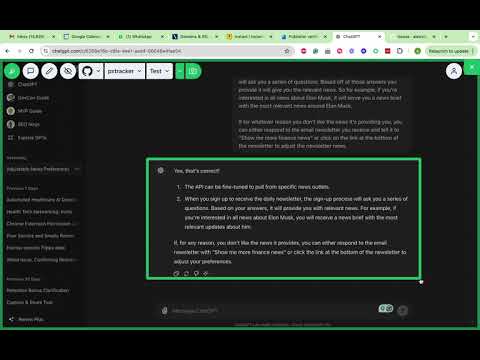
Draw, annotate and comment directly on-top of your website's UI, then instantly post your feedback to a merge or pull request.
Capture, annotate, and share your screen effortlessly with Screen Capture (getscreencapture.com)! Designed for developers, designers, and project managers, this powerful tool allows you to: Capture Screenshots: Instantly capture any part of your screen, whether it's a full page, selected area, or visible part. Annotate: Enhance your screenshots with annotations, including text, shapes, arrows, and highlights to communicate your ideas clearly. Share to Git Platforms: Seamlessly push your annotated screenshots to GitLab, BitBucket, and GitHub directly from the tool. Google Docs Integration: Easily upload your screenshots to Google Docs, making collaboration and documentation a breeze. User-Friendly Interface: Enjoy an intuitive and easy-to-use interface that simplifies your workflow and boosts productivity. Ideal for collaborative projects, bug reporting, design feedback, and documentation, Screen Capture is the ultimate tool for capturing and sharing your screen effectively. Download now and streamline your visual communication! Key Features: 1. Quick screen capture options: Full page, selected area, or visible part. 2. Comprehensive annotation tools: Text, shapes, arrows, and highlights. 3. Direct integration with GitLab, BitBucket, GitHub, and Google Docs. 4. Easy sharing and collaboration. 5. User-friendly and efficient interface. How to Use: 1. Install Screen Capture Pro from the Chrome Web Store. 2. Click on the Screen Capture Pro icon in your browser toolbar. 3. Select your preferred capture option. 4. Annotate your screenshot with the built-in tools. 5. Choose your desired platform (GitLab, BitBucket, GitHub, Google Docs) and share instantly. Support: For any issues or feedback, please contact us!
0 de 5Sin valoraciones
Detalles
- Versión1.0.6
- Actualizado13 de junio de 2024
- Ofrecido porAlex Michael
- Tamaño10.96KiB
- IdiomasEnglish (United States)
- Desarrollador
Correo electrónico
alexqamichael@gmail.com - No operadorEste desarrollador no se ha identificado como operador. Los consumidores residentes en la Unión Europea deben tener en cuenta que los derechos de los consumidores no son aplicables a los contratos que suscriban con este desarrollador.
Privacidad

Screen Capture - Provide Visual Feedback To Every Team ha revelado la siguiente información sobre la recogida y el uso de tus datos. Puedes consultar información más detallada en la privacy policy del desarrollador.
Screen Capture - Provide Visual Feedback To Every Team gestiona lo siguiente:
Este desarrollador declara que tus datos:
- No se venden a terceros, excepto en los casos de uso aprobados
- No se usan ni se transfieren para fines no relacionados con la función principal del elemento.
- No se usan ni se transfieren para determinar la situación crediticia ni para ofrecer préstamos.