

Scrapigator
1 rating
)
Overview
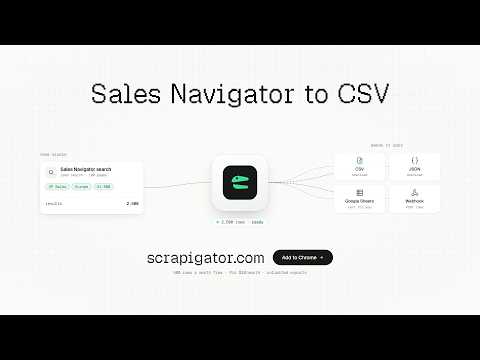
Export Sales Navigator lead and account searches or saved lists to CSV/JSON.
Scrapigator exports your LinkedIn Sales Navigator searches to a clean CSV or JSON file with Unlimited Exports, including large searches that go past Sales Navigator's 2,500-result limit. WHAT IT DOES • Exports lead searches, account searches and saved lists from your own Sales Navigator account. • Large searches: Sales Navigator shows at most 2,500 leads (or 1,000 accounts) per search. Scrapigator automatically splits a bigger search into smaller ones (for example by location), exports each, and removes duplicates, so you get the full list in one file. • Readable profile links: adds linkedin.com/in/name links next to each lead. • Runs on its own: retries automatically when LinkedIn slows down, and continues where it stopped if Chrome is closed or restarted. • Daily safety limit you control, so exports stay at a human pace. • Every export is saved to your Scrapigator dashboard; download it again as CSV or JSON anytime. HOW IT WORKS 1. Install the extension and connect it to your free Scrapigator account. 2. Open a search or saved list in Sales Navigator. 3. Click the Scrapigator icon and press Start. 4. Download your file when the export finishes. PRICING Free: 500 exported rows a month. Pro: $10/month, no monthly row limit. GOOD TO KNOW • You need your own LinkedIn Sales Navigator subscription. Scrapigator only exports what your account can already see. • Scrapigator does not collect email addresses or phone numbers. • Exported data goes to your Scrapigator account only. We do not sell it.
5 out of 51 rating
Details
- Version0.5.32
- UpdatedOctober 15, 2026
- Offered bySalman Bareesh
- Size372KiB
- LanguagesEnglish
- Developer
Email
support@scrapigator.com - Non-traderThis developer has not identified itself as a trader. For consumers in the European Union, please note that consumer rights do not apply to contracts between you and this developer.
Privacy

Scrapigator has disclosed the following information regarding the collection and usage of your data. More detailed information can be found in the developer's privacy policy.
Scrapigator handles the following:
This developer declares that your data is
- Not being sold to third parties, outside of the approved use cases
- Not being used or transferred for purposes that are unrelated to the item's core functionality
- Not being used or transferred to determine creditworthiness or for lending purposes
Support
For help with questions, suggestions, or problems, visit the developer's support site