

ScrapeMate: Web Scraper – Tables, Lists & Search Results to CSV/Excel

Overview
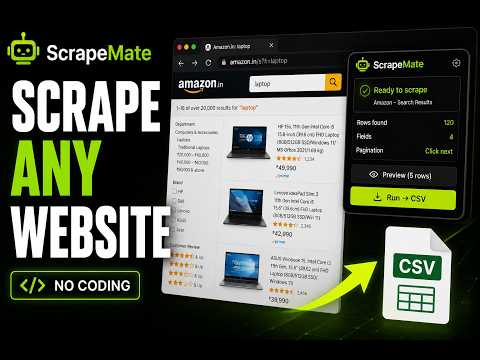
Scrape web tables, lists, or search results to CSV/Excel in one click. Templates for known sites. Custom picker for others.
ScrapeMate is a lightweight browser extension that helps you extract tables, lists, search results, product listings, directories, and other structured web content into CSV or spreadsheet-friendly formats in just a few clicks. Designed for researchers, analysts, recruiters, QA engineers, students, marketers, and anyone who works with web data. ━━━━━━━━━━ WHY SCRAPEMATE? ━━━━━━━━━━ Many scraping tools: • Require coding knowledge • Depend on complex workflows • Break when websites update • Rely on external servers or cloud processing ScrapeMate is designed to be simple, visual, and privacy-friendly. It combines: ✅ Ready-to-use scraping templates for supported websites ✅ Visual custom field selection for other websites ✅ Local-first processing inside your browser No coding required. ━━━━━━━━━━ EXPORT DATA QUICKLY ━━━━━━━━━━ Extract data such as: • Product listings • Search results • Tables • Business directories • Reviews • Restaurant listings • Job listings • Real-estate listings • Map results • Repeating page content Export directly to: • CSV • Excel-compatible formats • Clipboard (TSV format for spreadsheets) ━━━━━━━━━━ SUPPORTED WEBSITE TEMPLATES ━━━━━━━━━━ ScrapeMate includes built-in templates for selected supported websites and marketplaces. Templates help simplify extraction of structured listings and repeating content. Additional templates and improvements may be added over time. ━━━━━━━━━━ CUSTOM PICK MODE ━━━━━━━━━━ Custom Pick mode allows you to extract repeating content from many websites, even when a built-in template is unavailable. Basic workflow: 1. Select a repeating row or card 2. Choose the fields you want to capture 3. Export the extracted results ScrapeMate automatically applies the selected fields across matching rows on the page. No CSS selectors or XPath required. ━━━━━━━━━━ ADJUST AND REFINE TEMPLATES ━━━━━━━━━━ Website layouts may change over time. ScrapeMate includes visual tools that help you: • Re-select missing elements • Update row selections • Add or remove fields • Save refined templates locally in your browser All saved templates remain stored locally on your device. ━━━━━━━━━━ FEATURES ━━━━━━━━━━ ✅ CSV export ✅ Clipboard copy support ✅ Visual field picker ✅ Built-in scraping templates ✅ Custom extraction mode for unsupported websites ✅ Infinite scroll and pagination support ✅ Data preview before export ✅ Pause or stop extraction anytime ✅ Local template storage ✅ Keyboard navigation support ✅ Manifest V3 compatible ✅ No account required ━━━━━━━━━━ KEYBOARD NAVIGATION ━━━━━━━━━━ For websites with overlays or complex layouts, ScrapeMate supports keyboard-based element navigation during selection. Supported controls include: • Parent element navigation • Child element navigation • Sibling navigation • Element selection shortcuts • Cancel selection shortcut ━━━━━━━━━━ WHO IS THIS FOR? ━━━━━━━━━━ Useful for: • Researchers • Recruiters • E-commerce analysis • QA workflows • Students • SEO research • Marketing workflows • Spreadsheet-based data collection ━━━━━━━━━━ PRIVACY ━━━━━━━━━━ ScrapeMate runs locally inside your browser. • No account required • No telemetry • No external data storage • No remote code execution Your extracted data and saved templates remain on your device. ━━━━━━━━━━ IMPORTANT NOTE ━━━━━━━━━━ Websites may occasionally update their structure or layout, which can affect extraction templates. ScrapeMate includes visual refinement tools to help update selections when needed.
0 out of 5No ratings
Details
- Version0.1.0
- UpdatedMay 22, 2026
- Offered byChanukya Vempati
- Size68.89KiB
- LanguagesEnglish
- DeveloperChanukya Vempati
Miyapur Hyderabad, Telangana 500049 INEmail
chanukyavempati9@gmail.com - Non-traderThis developer has not identified itself as a trader. For consumers in the European Union, please note that consumer rights do not apply to contracts between you and this developer.
Privacy

This developer declares that your data is
- Not being sold to third parties, outside of the approved use cases
- Not being used or transferred for purposes that are unrelated to the item's core functionality
- Not being used or transferred to determine creditworthiness or for lending purposes