

ScholarZO-Publication Tracker

Tổng quan
Automatically retrieve, classify, and track Google Scholar publications.
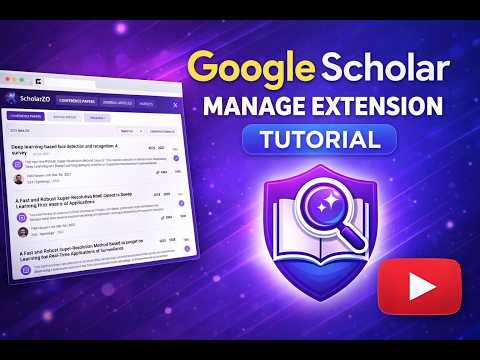
ScholarZO is a professional browser extension created for researchers, students, and academics who want a simple and reliable way to manage their Google Scholar publications directly from their browser. Instead of repeatedly visiting Google Scholar to review your work, ScholarZO brings your publication data into a clean, dedicated interface and keeps it synchronized automatically. It is designed to save time, reduce manual effort, and present your academic output in a clear and structured way. Once installed, ScholarZO allows you to enter your public Google Scholar Profile ID and securely retrieves your publication data from your profile. The extension extracts important information for each publication, including the title, authors, year of publication, source or venue, citation count, publication link, and abstract or description when available. All retrieved information is stored locally in your browser, ensuring fast access while maintaining user privacy. ScholarZO automatically organizes publications into meaningful academic categories. Each publication is carefully analyzed using venue information, publisher patterns, citation metadata, and recognized patent identifiers to determine whether it belongs to conference papers, journal articles, or patents. This intelligent classification removes the need for manual tagging and ensures that your research output is accurately structured. The extension presents your publications through a dynamic dashboard designed specifically for a browser extension environment. Publications are displayed in clearly separated sections for conferences, journals, and patents, making it easy to browse and review your work. Built-in search and sorting features allow you to quickly locate publications by title, year, or citation count, while direct links provide immediate access to the original sources. ScholarZO also includes automatic synchronization to keep your data up to date. The extension periodically checks your Google Scholar profile for changes and detects newly added publications. When an update is found, the local data is refreshed automatically and a browser notification informs you that a new publication has been added. A manual refresh option is available at any time for users who prefer to check for updates on demand. The user interface of ScholarZO is designed to be minimal, elegant, and professional. It features a refined purple and dark contrast theme and supports both light and dark modes to match user preferences. The layout is fully responsive and optimized for extension popups, providing a smooth and distraction-free experience. Privacy and security are core principles of ScholarZO. The extension works exclusively with publicly available Google Scholar data and does not require any login or account creation. No tracking, analytics, or external data sharing is performed, and all information remains stored locally in the user’s browser. ScholarZO requests only the minimal permissions required and follows modern Chrome extension standards. ScholarZO is ideal for researchers, faculty members, and students at all levels who maintain a public Google Scholar profile and want a more efficient way to view, organize, and track their scholarly work. It supports only public profiles, as private or restricted profiles cannot be accessed, and it operates independently from Google Scholar, which is a third-party service not affiliated with the extension.
0/5Không có lượt xếp hạng nào
Chi tiết
- Phiên bản1.1.0
- Đã cập nhật11 tháng 2, 2026
- Kích thước90.62KiB
- Ngôn ngữEnglish (United States)
- Nhà phát triển
Email
simarsinghrayat03@gmail.com - Người bán phi thương mạiNhà phát triển này không tự nhận mình là người bán. Đối với người tiêu dùng ở Liên minh Châu Âu, xin lưu ý rằng các quyền của người tiêu dùng không được áp dụng trong hợp đồng giữa bạn và nhà phát triển này.
Quyền riêng tư

Nhà phát triển này tuyên bố rằng dữ liệu của bạn
- Không được bán cho bên thứ ba, ngoài những trường hợp sử dụng đã được phê duyệt
- Không được sử dụng hoặc chuyển nhượng cho các mục đích không liên quan đến chức năng chính của mặt hàng
- Không được sử dụng hoặc chuyển nhượng để xác định khả năng thanh toán nợ hoặc phục vụ mục đích cho vay