

Scan: Highlight Multiple Words at Once
2 ratings
)
Overview
Find and mark many words and phrases at once on any page. Check many pages at once and see which ones have the most of your words.
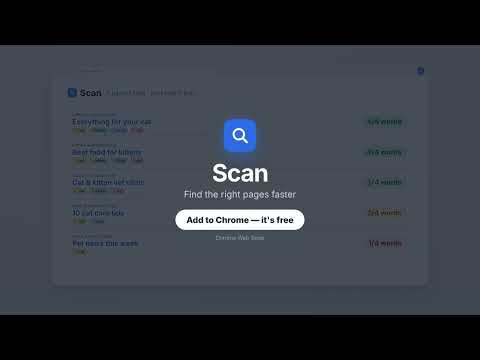
Find and mark many words and phrases at once on any page. Check many pages at once and see which ones have the most of your words. No account needed. Your words never leave your browser. Type your words once. Scan finds them on any page, colors them, and tells you how well each page matches, so you open the best pages first. GREAT FOR - Research and study – find the sources that mention all your terms. - Job hunting – check job posts for the skills, salary or remote work you want. - Recruiters – check CVs and profiles for must-have skills. - Everyday reading and shopping – spot ingredients, allergens or specs fast. CHECK PAGES THREE WAYS - This page – your words light up on the page, and a small box lists every word with how many times it was found. - Search results – on Google, Bing or Yandex, Scan opens every result and sorts them, best match first. - Pasted links – paste up to 200 links and get them all checked. WORDS THAT DO WHAT YOU MEAN - Type a word and press Enter: it becomes a pill. - Exact word, word + plural, all forms (develop → developer, development, went → go), starts with, or anywhere in a word. - Match case: Go, not go · IT, not it. - OR words: email OR e-mail, CV OR resume. - +word = must have · −word = must NOT have. - Drag words between pills to join or split them. COLORS AND STYLE Pick a background, outline, text color, text outline, bold, italic or underline for each word. The highlight on the page looks the same. LISTS Save the words you use often as lists, and edit them any time. Tick a list to scan with it, or turn on "highlight while browsing" to color its words on every page you open. RESULTS - Each page shows how many of your words it has (for example 3/4) and which ones are missing. - Pages are sorted into groups, best first: Perfect match, Has all must words, Has some must words, Has no must words, Has an unwanted word, Check manually. - Open matches in tabs or a new window, copy links, or download a CSV for Excel. WORKS WITH SITES YOU LOG IN TO LinkedIn, hh.ru and similar sites open in the background with your own login. If you're logged out, Scan tells you. PRIVATE BY DESIGN Your words and the pages you scan never leave your browser. Scan has no server. If you agree, Scan sends anonymous usage and error reports to help fix bugs, including your approximate country, never your words or links. You can turn this off any time. Free while Scan is in early access. Everything free today stays free. Tell us what to improve with the Feedback button.
5 out of 52 ratings
Details
- Version1.29.0
- UpdatedOctober 22, 2026
- Offered byproductivitytoolzzz
- Size890KiB
- LanguagesEnglish
- Developer
Email
scan.extension@yandex.com - Non-traderThis developer has not identified itself as a trader. For consumers in the European Union, please note that consumer rights do not apply to contracts between you and this developer.
Privacy

Scan: Highlight Multiple Words at Once has disclosed the following information regarding the collection and usage of your data. More detailed information can be found in the developer's privacy policy.
Scan: Highlight Multiple Words at Once handles the following:
This developer declares that your data is
- Not being sold to third parties, outside of the approved use cases
- Not being used or transferred for purposes that are unrelated to the item's core functionality
- Not being used or transferred to determine creditworthiness or for lending purposes