


Overview
SEO signals on search results and Google Maps, Etsy seller tools, keyword difficulty, one-click page audit and everyday web tools.
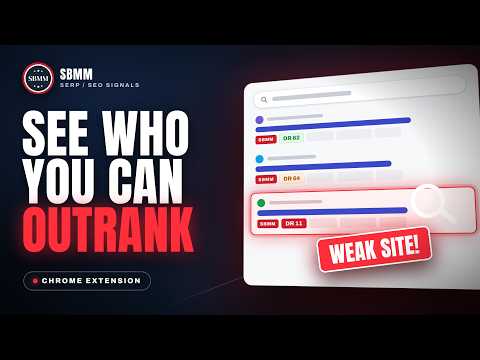
SBMM - SERP Signals & Toolkit shows how strong every search result is, how hard a keyword is to rank for, and what a local business profile is missing. It also audits any page in one click and adds a slim top bar with everyday web tools. It is free and works without an account. SEE HOW STRONG EVERY SEARCH RESULT IS Each organic result on Google and other major search engines gets a compact bar with: • Domain rating, domain authority, page authority and spam score • Referring domains, backlinks, estimated monthly visits, domain age and global rank • Registrar, expiry date and how long the site has been archived Colours show how hard each result is to beat: green for weaker sites, yellow in the middle and red for strong sites. Weak sites are highlighted so the easy wins stand out. KNOW HOW HARD A KEYWORD IS BEFORE YOU WRITE • A slim line above the results shows the searched keyword's monthly volume, cost per click, competition and a 12 month trend • Keyword Difficulty by SBMM scores the top 10 from 0 to 100, split into off-page and on-page parts, and tells you when a search is a brand query • A sidebar sums up the page: the weakest and youngest sites in the top 10, an authority spread, related searches and questions, search features found on the page and long-tail ideas • Search as if you were in another country or language, no VPN needed • Export the results to CSV, JSON or Markdown LOCAL SEO ON GOOGLE MAPS Every business on Google Maps and in the local results on Google search gets a small row with its primary and secondary categories, the strength of its website, and one-click copy buttons for its Place ID, CID and review link. The Audit button opens a full Business Profile Audit: • An overall score out of 100 with clear fixes • Website vs profile: name, phone, address and opening hours compared side by side • Duplicate listings, name, address and phone consistency, and manual directory checks • Schema check with ready-to-copy structured data • Category ideas and a competitor gap list from the businesses around you • Rank check with a map grid that shows where the business appears across the area • Service pages, local answer engine readiness and review themes • Copy the report, export CSV or print to PDF AUDIT ANY PAGE IN ONE CLICK Click the extension icon on any website to see: • Overview: authority, links, traffic, age and a 12 point health check • Full audit report with every check explained, ready to save as PDF • Headings, links, images, schema, social tags and redirects with filters and exports • HTML vs DOM: what only appears after scripts run • AEO / GEO Analyzer: scores how ready the page is to be quoted in answer engines, across five areas with prioritised fixes. It is a readiness checklist, not a ranking prediction. • Internal Link Finder and Internal Link Graph: find linking opportunities, orphan pages and weakly linked pages • Detector and Performance: the platform and services behind the site, page speed timings and heavy files KEYWORD IDEAS Turn one seed keyword into hundreds of ideas grouped by search intent and topic. Pick a country and language, choose patterns, pause or resume at any time and export to CSV or JSON. Projects are saved only in your browser. TOOLS ON EVERY WEBSITE A slim top bar shows the site's key signals, word count, last updated date, content system, monetization and indexed pages. On the right are quick tools: • Snipping tool with arrows, boxes, text, blur and numbered steps • Full page screenshot • Colour picker with history • Clean text extractor (plain text or Markdown) • Bulk URL opener that can read the site's own sitemap The top bar is on after install. Turn it off or on from the popup header, and hide it with one click. While it is off or hidden it looks nothing up. The same tools are always in the popup's Tools tab, even with the bar off. YOU DECIDE WHAT RUNS A power button in the popup header turns the whole extension on or off, and the Settings tab has a switch for every feature, search engine and tool. Changes apply at once, and a switched-off feature stops running and sends no requests. PRIVACY IN SHORT • No account, no ads, no analytics and no trackers. • To show numbers, only domain names, public result addresses and the searched keyword are sent to our server (for keyword difficulty, also the public titles and snippets of the top results). The content of pages you read is never sent. • Page audits, link tools, screenshots, keyword projects and saved reviews stay in your browser. • Full privacy policy: https://ext.sbmm.com.pk/privacy Guide: https://ext.sbmm.com.pk/guide Feedback and support: https://ext.sbmm.com.pk/feedback What's new in 1.7.1 • New box on the Overview tab: estimated monthly earnings if you rank 1st, 2nd or 3rd for the keyword. • Etsy shop pages: the bar now always shows shop age, listings and sales first, and tells you if a shop could not be loaded. • Etsy listing, shop and keyword bars now always fit: less important numbers step aside on narrow windows instead of being cut off. • Etsy: listings that get far more views than their neighbours are marked with an outlier number. • Long-tail ideas load by themselves when you open the Keywords tab. • A cleaner sidebar: a wider panel, a clearer top 10 table with colour-coded numbers, and Search Trend shown as bars. • Seasonal keywords are no longer called Dead between their yearly peaks. What's new in 1.7.0 • New name: SBMM - SEO Signals & Etsy Toolkit. On search results and websites the panels now read "SBMM SEO Signals", on Google Maps "SBMM Local SEO" and on Etsy "SBMM Etsy Toolkit". • Etsy seller tools: sign in with a free SBMM account and see listing age, favorites, views and shop sales under every listing in Etsy search, estimated sales and a listing audit with a tag report on listing pages, and shop numbers on shop pages. • Keyword research on Etsy search pages: competition, difficulty, related keyword ideas and one-click saving to your keyword lists. • Keyword ideas from Etsy search: type a seed keyword and get the phrases shoppers see in Etsy's own search box, most suggested first, with a filter, Copy all and CSV download. Your browser asks Etsy for them on the Etsy tab while you use the tool; the keywords are not sent to SBMM. • New Account card in the popup: connect the extension to your SBMM account in two clicks, and disconnect at any time. • New "Etsy signals" switch in Settings. The top bar stays off on Etsy. • On the website: Etsy keyword tool, listing audit, competitor shop tracker, keyword lists, fee and ads calculators, and an optional read-only connection to your own shop. • Google Maps rank grid: "near me" searches and saved areas now stay around the business. • Etsy on/off switch in the popup and a power button on the Etsy bar: turn the Etsy numbers off to save your daily limit; the bar stays so you can turn them back on. • The category of each Etsy listing now shows under search results and on the listing bar. • Page audit, AEO/GEO score, technology detector, Business Profile Audit and Keyword Ideas are now worked out on our server, so they stay up to date without an extension update. The extension still reads the page in your browser and sends only the facts it needs; they are not stored. • Many smaller fixes and speed improvements. What's new in 1.6.3 • Faster browsing: the extension no longer slows down other tabs and websites. Saved numbers are kept in a local database, so having many tabs open costs nothing extra. • The top bar starts its checks only when a tab is shown, and its heavier checks only when you rest the mouse on it. • Search results: bars repaint only when their numbers change. Animations are gone, so it stays light on older laptops; weak sites get a simple coloured box. • Google Maps: a results list loads its business details in one request, and details and reviews are saved without touching your other tabs. • Keyword Ideas collects without slowing down your other tabs. • Bulk URL opener: paste addresses in any shape (one per line, or separated by spaces, commas or tabs, with list numbers or titles mixed in). Duplicates are skipped. • Typing in the top bar panels now works on sites with their own keyboard shortcuts. • Full Page SS shows its progress on the tab and the toolbar icon, and stops cleanly if you switch tabs mid-capture. • "Fetch this site's URLs" keeps only the site's own pages. What's new in 1.6.1 • New name: SBMM - SERP Signals & Toolkit. • Search Trend chart in the sidebar: monthly searches for your keyword, worldwide or in any country, over 1, 2 or 4 years, scaled 0 to 100 like a trend chart. • Keyword line: GSV (global search volume), a small trend line, and a clearer trend label (Increasing, Stable, Decreasing or Dead). • Brand query now sits with the other Keyword Difficulty facts, and Quick jump lists 24 countries. • A Google-style dark theme, and a Top bar ON/OFF switch in the popup header. • Nofollow switch in the top bar: turn it on once and nofollow, sponsored and ugc links are outlined on every site you open, until you turn it off. • Page tools (colour picker, snip, full-page screenshot, clean text, bulk opener, keyword ideas) now also run from the popup when the top bar is off. • Numbers that are still loading keep filling in for up to four minutes, and a dropped connection is retried once. • Lighter top bar: its heavier checks start only when you point at it.
4.9 out of 556 ratings
Details
- Version1.7.1
- UpdatedOctober 31, 2026
- Size467KiB
- LanguagesEnglish
- DeveloperWebsite
Email
sbmmofficially@gmail.com - Non-traderThis developer has not identified itself as a trader. For consumers in the European Union, please note that consumer rights do not apply to contracts between you and this developer.
Privacy

SBMM - SEO Signals & Etsy Toolkit has disclosed the following information regarding the collection and usage of your data. More detailed information can be found in the developer's privacy policy.
SBMM - SEO Signals & Etsy Toolkit handles the following:
This developer declares that your data is
- Not being sold to third parties, outside of the approved use cases
- Not being used or transferred for purposes that are unrelated to the item's core functionality
- Not being used or transferred to determine creditworthiness or for lending purposes
Support
For help with questions, suggestions, or problems, visit the developer's support site