


Overview
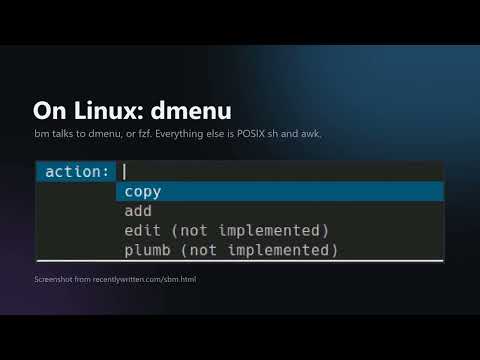
Your sbm bookmarks in the browser: search as you type, add the page, sync with bm and the sbm app.
sbm keeps your bookmarks in one plain text file: one bookmark per line, with the address, a description and tags. This add-on brings that file to your browser. - Search as you type: press Alt+Shift+M or click the icon. The search is fuzzy, as in fzf. Enter opens the first match. Text that is no bookmark opens as an address, or as a web search. - In the address bar, type bm, a space, then words. - Add the page that you look at, with a description and tags. - Sync with bm on your computers, the sbm app for Android and your other browsers, through an sbm-sync server. The server is free software: use the default one, sbm.subread.space, or run your own. Sync on sbm.subread.space is free. - The options page shows the plan of your account and the paid options of the server, such as a supporter subscription. Stripe takes all payments on its own pages. The add-on never sees your card. Without an account, your bookmarks stay in the browser. The add-on has no ads, no analytics and no trackers. The operator of sbm.subread.space sells its paid options, not Google or Mozilla. Terms of sale, with the refund policy: https://sbm.subread.space/terms Source code (AGPL-3.0): https://github.com/equwal/sbm-extension Permission justifications: - storage: keeps the bookmarks of the user and the sign-in token in the browser. - activeTab: reads the address and the title of the current page when the user clicks "Add this page". - alarms: syncs the bookmarks every 30 minutes. - Host permission sbm.subread.space: sends the bookmark file to the default sync server after the user signs in. - Optional host permissions (https://\*/\*, http://\*/\*): the user can choose another sync server; at sign-in the add-on asks for that one site only. - **Remote code:** No. All code is in the package. - **Data usage:** the add-on collects, only after the user signs in: personally identifiable information (the email address), authentication information (the password, sent once to get a token) and web history (the addresses of the bookmarks). Tick the three statements: not sold, not used for purposes unrelated to the single purpose, not used for credit. - Distribution: public, all regions. Free. If the Distribution tab has the option "Contains in-app purchases", tick it: the options page leads to Stripe subscriptions of the server.
0 out of 5No ratings
Details
- Version0.3.1
- UpdatedSeptember 24, 2026
- FeaturesOffers in-app purchases
- Size31.84KiB
- LanguagesEnglish
- DeveloperSPENSER MAX TRUEXWebsite
5384 Hollister Ave APT47 Santa Barbara, CA 93111-2325 USEmail
truex@equwal.comPhone
+1 805-617-5518 - TraderThis developer has identified itself as a trader per the definition from the European Union and committed to only offer products or services that comply with EU laws.
Privacy

sbm bookmarks has disclosed the following information regarding the collection and usage of your data. More detailed information can be found in the developer's privacy policy.
sbm bookmarks handles the following:
This developer declares that your data is
- Not being sold to third parties, outside of the approved use cases
- Not being used or transferred for purposes that are unrelated to the item's core functionality
- Not being used or transferred to determine creditworthiness or for lending purposes
Support
For help with questions, suggestions, or problems, please open this page on your desktop browser