


Overview
Sort your bookmarks into folders automatically with AI. Save pages in one click, share a link or a whole folder.
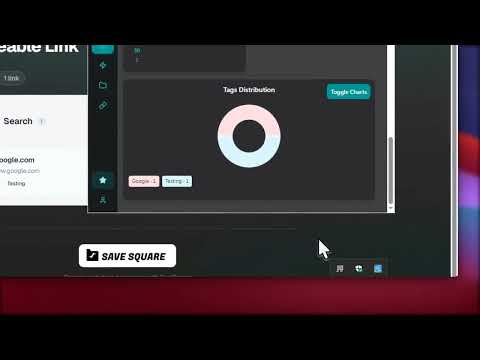
“SaveSquare is an AI bookmark manager for Chrome that sorts pages into matching folders as you save them. Keep your research, articles, tutorials, and useful websites organized, then share a single link or an entire folder with others” AUTOMATIC BOOKMARK ORGANIZATION SaveSquare reads each page you save and uses AI to file it into a matching folder. You do not have to choose a folder for every link or drag bookmarks into place yourself. SAVE LINKS WHILE YOU BROWSE Use the extension to save the page you are viewing without copying and pasting its address, and keep it for later. Your saved links stay connected to your SaveSquare account. Save the current page from the extension’s toolbar button or context menu. You can also use Ctrl+Shift+K on Windows or Cmd+Shift+K on Mac. Keep a page for later without copying its address into another app. ORGANIZE AND FIND SAVED LINKS Use folders to group related pages and tags to organize them further. Search your saved links when you need to return to something. Bulk actions let you manage several bookmarks together. SHARE A BOOKMARK OR FOLDER Send someone an individual bookmark or share a collection through one URL. Recipients can view a shared folder in their browser without a SaveSquare account. Keep project references together, send reading material to a classmate, or share useful resources with your team. IMPORT AND EXPORT BOOKMARKS Import bookmarks from CSV or HTML files instead of starting again. Importing copies them and leaves your Chrome bookmarks where they are. Export your folders when you need a backup. URL cleanup helps tidy saved addresses. GETTING STARTED Install SaveSquare from the Chrome Web Store and sign in to your SaveSquare account. Save a page to start building your collection. Your bookmarks are connected to your account so you can access them when signed in. An account is required to use the service. PRICING PLANS Starter is free, with usage limits that include 10 bookmarks per folder and import and export of up to 100 bookmarks. Starter sharing links expire after 24 hours. Pro costs $2.99 per month and includes unlimited AI tokens, unlimited shareable folders, permanent sharing links, unlimited imports, and full export. See https://savesquare.io/pricing for current details. FREQUENTLY ASKED QUESTIONS 1- Can AI organize my Chrome bookmarks? Yes. SaveSquare reads each page as you save it and sorts it into a matching folder on its own. You never have to name a folder or drag a link. 2- Will importing change my existing bookmarks? No. Importing copies bookmarks into SaveSquare and leaves your browser’s own bookmarks where they are. You can export whenever you want, within your plan’s limits. 3- Can anyone else see my bookmarks? No. Your saved links are private to your account by default. A folder becomes viewable only when you generate a sharing link for it, and you can delete your data at any time from the extension’s Account tab. PRIVACY AND SUPPORT Read our privacy policy for information about the data SaveSquare handles and how it is used. Website: https://savesquare.io/ Privacy policy: https://savesquare.io/privacy-policy Support: support@savesquare.io
5 out of 54 ratings
Details
- Version0.1.27334
- UpdatedOctober 18, 2026
- FeaturesOffers in-app purchases
- Size593KiB
- LanguagesEnglish
- DeveloperWebsite
Email
support@savesquare.io - Non-traderThis developer has not identified itself as a trader. For consumers in the European Union, please note that consumer rights do not apply to contracts between you and this developer.
Privacy

SaveSquare - AI Bookmark Manager has disclosed the following information regarding the collection and usage of your data. More detailed information can be found in the developer's privacy policy.
SaveSquare - AI Bookmark Manager handles the following:
This developer declares that your data is
- Not being sold to third parties, outside of the approved use cases
- Not being used or transferred for purposes that are unrelated to the item's core functionality
- Not being used or transferred to determine creditworthiness or for lending purposes
Support
For help with questions, suggestions, or problems, please open this page on your desktop browser