


Overview
Save anything online with one click — pages, images, documents, and emails. Organize it all and access it anywhere.
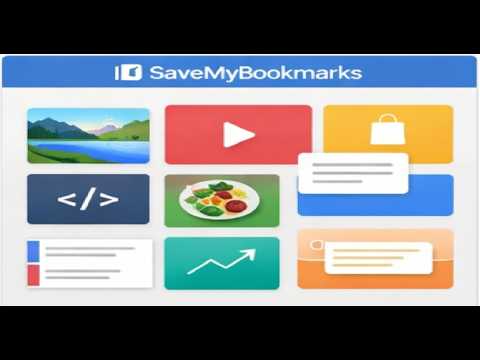
⭐SaveMyBookmarks – Smarter Bookmark Organizer NEW: The extension now remembers your last selected category when saving bookmarks. Save anything online with one click — web pages, AI chats, cloud documents, emails, images, and conversations. Organize it all in one visual system. Capture anything online with one click — including pictures, cloud-based files like Google Docs and Microsoft 365, emails, Dropbox links, and more. Add notes, choose a category, and keep everything organized in one place. Access your bookmarks from any browser or device. Whether it’s a website, image, document, or reference, SaveMyBookmarks keeps everything easy to find. Think of it as your personal web filing cabinet — simple, fast, and built for everything you use online. Quickly capture any page title and URL, add optional notes, and access your bookmarks from any browser or device. It’s your personal web filing cabinet — simple, fast, and designed to keep everything neat and organized. ⭐Key Features: ✔ One-click capture of page titles, URLs, and optional notes ✔ Organize bookmarks by category with fast filtering ✔ Instant search across all saved bookmarks and categories ✔ Access your links anywhere through SaveMyBookmarks.com ✔ Add new categories directly from the extension ✔ Seamless compatibility with Chrome, Firefox, Edge, and other Chromium browsers ✔ Secure login to your SaveMyBookmarks account ✔ Clean, distraction-free interface for effortless saving 🔧 Perfect For ✔ Research projects ✔ Work and business links ✔ Shopping lists ✔ Travel planning ✔ Online learning ✔ Saving documents and PDFs ✔ Everyday browsing If you save it — SaveMyBookmarks keeps it organized. 🚀 Coming Soon 📸 Screenshot Snippets — capture a thumbnail of your saved page for a visual view of your bookmarks! 🔒 Privacy & Security SaveMyBookmarks stores only the pages you choose to save. We do not collect your browsing history or sell your data.
5 out of 51 rating
Details
- Version1.0.12
- UpdatedJune 3, 2026
- Size938KiB
- LanguagesEnglish
- Developer
- Non-traderThis developer has not identified itself as a trader. For consumers in the European Union, please note that consumer rights do not apply to contracts between you and this developer.
Privacy

SaveMyBookmarks has disclosed the following information regarding the collection and usage of your data. More detailed information can be found in the developer's privacy policy.
SaveMyBookmarks handles the following:
This developer declares that your data is
- Not being sold to third parties, outside of the approved use cases
- Not being used or transferred for purposes that are unrelated to the item's core functionality
- Not being used or transferred to determine creditworthiness or for lending purposes
Support
For help with questions, suggestions, or problems, please open this page on your desktop browser