

Save Recipes from Websites – Recipe Organizer | Cookmory

Overview
Import recipes from websites with a Chrome recipe saver. Check ingredients and directions, then keep favorites in your cookbook.
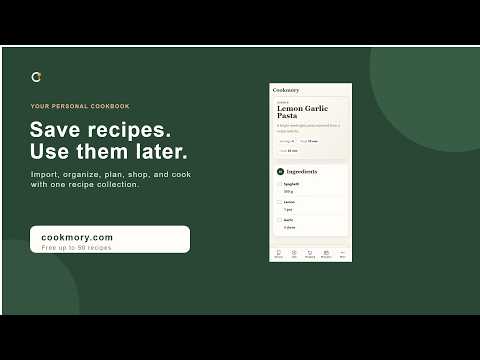
Save a recipe from a website without adding another bookmark. Find a recipe online that you'd like to cook next week? Cookmory makes it easy to save recipes from websites instead of burying them in bookmarks, screenshots, and browser tabs. It's a Chrome recipe saver that takes the page you're viewing to a recipe importer, where you can review the details and add them to your digital cookbook. Use Cookmory when a food blog has the perfect dinner idea, a baking recipe deserves a second try, or you're collecting family favorites. The extension is a simple bridge from a recipe website to your organized recipe collection. HOW TO SAVE A RECIPE FROM A WEBSITE 1. Open a public recipe page in Chrome. 2. Click the Cookmory icon in the browser toolbar. 3. Cookmory sends the current tab's URL to its web-based recipe importer. 4. Check the ingredients, measurements, directions, servings, and cook times. 5. Fix any missing details and save the recipe in your personal online cookbook. You don't have to copy and paste the link yourself. The extension uses the page address when you choose to click it; it doesn't monitor every site you visit. A RECIPE IMPORTER, NOT JUST ANOTHER BOOKMARK A regular bookmark can point you back to the original recipe, but it won't organize the ingredients or let you edit the cooking directions. With Cookmory, the importer tries to turn the recipe into a structured card that you can check before saving. Keep the original source, make corrections to amounts or instructions, and add notes about what worked. If a website has incomplete recipe data or blocks automated access, some fields may need to be entered or corrected manually. Review the result before cooking from it. BUILD YOUR RECIPE ORGANIZER Your recipe collection lives in the Cookmory web app, where you can use folders, tags, favorites, and search to manage saved recipes. Create your own recipe book with easy dinners, slow-cooker meals, desserts, and the dishes you make again and again. The app also offers weekly meal planning and grocery lists. Pick meals from your existing collection, make a shopping list, and use Cooking Mode to follow the steps in the kitchen. Meal planning and grocery tools are part of the web app, not features inside the browser popup. IMPORT MORE THAN WEB RECIPES Already have recipes in photos, screenshots, PDF cookbooks, or notes? You can use those sources in the Cookmory website and add recipes manually. The Chrome extension itself is for importing from the page you're viewing, not for scanning files or extracting information from every open tab. FREE TO INSTALL AND TRY Install the Chrome extension free. You can test a recipe import without signing up. To save a personal collection, create a Cookmory account; the Free plan supports up to 50 recipes and doesn't require a credit card. Plans for larger collections are also available. PRIVACY AND WEBSITE SUPPORT The extension passes the active page URL to Cookmory only after you click the icon. It doesn't continuously scan webpages or collect browsing history. The website importer then processes the selected recipe link. Cookmory works with many public recipe sites, but results depend on the original page. Login-protected recipes and sites that restrict automated access may not import properly. You're in control of the final review. SAVE THE RECIPE, NOT ANOTHER OPEN TAB Install Cookmory and start building a searchable digital cookbook from the recipes you find online. The next time you need that great dinner idea, it'll be in your collection.
5 out of 53 ratings
Details
- Version1.0.7
- UpdatedNovember 19, 2026
- Size18.64KiB
- Languages7 languages
- DeveloperArtur MukhamatkhaevWebsite
R. das Amoras 174 LT.8 Carcavelos 2775-549 PTEmail
artur@fromartur.comPhone
+351 925 556 484 - TraderThis developer has identified itself as a trader per the definition from the European Union and committed to only offer products or services that comply with EU laws.
Privacy

Save Recipes from Websites – Recipe Organizer | Cookmory has disclosed the following information regarding the collection and usage of your data. More detailed information can be found in the developer's privacy policy.
Save Recipes from Websites – Recipe Organizer | Cookmory handles the following:
This developer declares that your data is
- Not being sold to third parties, outside of the approved use cases
- Not being used or transferred for purposes that are unrelated to the item's core functionality
- Not being used or transferred to determine creditworthiness or for lending purposes
Support
For help with questions, suggestions, or problems, please open this page on your desktop browser