


Overview
Save Outlook emails as PDF, HTML, TXT, or EML — with attachments included.
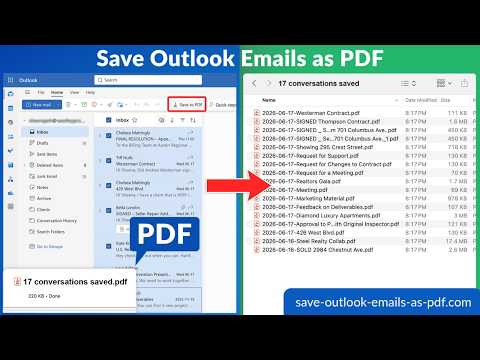
Save and back up your Microsoft Outlook emails as PDF (or HTML, TXT, or EML) with a single click. The extension adds a "Save to PDF" button to the Outlook ribbon (Home tab) on Outlook.com, Outlook on the Web, and Microsoft 365 Outlook. Works on personal Outlook accounts (outlook.com, hotmail.com, live.com) and Microsoft 365 / Office 365 work accounts. WHAT IT DOES 📄 Save individual emails as PDF: select any message in Outlook and click Save to PDF. Done. 📦 Save many emails at once: select 5, 50, or 5,000 emails and download the whole batch as a ZIP of PDFs. 📚 Save entire folders: back up your Inbox, Sent Items, or any custom folder (and all subfolders) using the dashboard wizard. Full subfolder structure is preserved in the resulting ZIP. 🧵 Conversation-aware: when Outlook is in conversation view, the whole conversation is saved as one PDF. Switch to flat view and each message saves separately. 🔁 Merge or keep separate: choose "one PDF per email" or "merge everything into one PDF." 📎 Attachments included: embed every attached doc, image, and PDF inside the output PDF, OR package them in a separate ZIP – your choice. 🔐 Encrypt with a password: generate password-protected PDFs for sensitive correspondence. 📑 Multiple output formats: PDF, HTML, TXT, or EML. Mix and match per export. HOW IT WORKS 1. Install the extension. 2. Open Outlook on the web (outlook.live.com, outlook.office.com, or outlook.office365.com). 3. Select one or more emails. 4. Click the "Save to PDF" button in the toolbar. 5. Pick your options (format, merge, attachments, password) and click "Start conversion." 6. Get a download link by email when the file is ready, or stay on the dashboard and grab it as soon as it lands. For a full mailbox backup, click the cloudHQ icon in the Chrome toolbar, then choose "Start the Wizard". That flow lets you pick a folder (or your entire account) and get a zip of every email in PDF, HTML, TXT, or EML format, neatly mirroring your folder hierarchy. PERFECT FOR: ⚖️ Lawyers: package every email related to a litigation, conversation, or client into one PDF you can hand to courts, opposing counsel, or your firm's case-management system. 🏢 Compliance and legal hold: archive sensitive correspondence in a court-friendly format (PDF), with attachments and metadata preserved. 📂 Project archiving: save all email related to a project before closing it out, instead of leaving it scattered across your mailbox. 🎓 Students and academics: keep a permanent copy of important threads with professors, advisors, or coauthors. 🚪 Leaving a job: back up personal correspondence before your work account is deactivated. 💼 Small business: keep a hard-drive backup of your entire mailbox for record-keeping, tax season, or peace of mind. PRIVACY AND SECURITY, YOUR DATA IS YOURS: • Your emails never leave Microsoft and cloudHQ. We don't share your data with advertisers or third parties. • We don't store your emails after the conversion is done. • You can revoke access at any time from your Microsoft account or by uninstalling the extension. • Support article: How cloudHQ handles your data: https://support.cloudhq.net/category/security/ cloudHQ. Helping your productivity, one click at a time. Website: https://www.save-outlook-emails-as-pdf.com/ Pricing: https://www.save-outlook-emails-as-pdf.com/pricing Support: https://support.cloudhq.net/category/browser-extensions/save-emails-to-pdf/ Blog: https://blog.cloudhq.net/ ---- "Save Outlook Emails as PDF by cloudHQ" is not affiliated with, endorsed by, or sponsored by Microsoft Corporation. Microsoft, Outlook, and the Outlook logo are trademarks of Microsoft Corporation. cloudHQ is a trademark of cloudHQ LLC. https://www.cloudhq.net/trademark
4.6 out of 510 ratings
Details
- Version1.0.0.10
- UpdatedOctober 5, 2026
- Size192KiB
- Languages11 languages
- DevelopercloudHQWebsite
2247 29th Avenue San Francisco, CA 94116 USEmail
support@cloudhq.netPhone
+1 415-509-6721 - TraderThis developer has identified itself as a trader per the definition from the European Union and committed to only offer products or services that comply with EU laws.
- D-U-N-S064785518
Privacy

Save Outlook Emails as PDF by cloudHQ has disclosed the following information regarding the collection and usage of your data. More detailed information can be found in the developer's privacy policy.
Save Outlook Emails as PDF by cloudHQ handles the following:
This developer declares that your data is
- Not being sold to third parties, outside of the approved use cases
- Not being used or transferred for purposes that are unrelated to the item's core functionality
- Not being used or transferred to determine creditworthiness or for lending purposes
Support
For help with questions, suggestions, or problems, visit the developer's support site