Item logo image for Save Gmail to PDF with Attachments by M2pdf

Save Gmail to PDF with Attachments by M2pdf

m2pdf.com
Featured
4.2(

17 ratings

)
Item media 5 (screenshot) for Save Gmail to PDF with Attachments by M2pdf
Item media 6 (screenshot) for Save Gmail to PDF with Attachments by M2pdf
Item video thumbnail
Item media 2 (screenshot) for Save Gmail to PDF with Attachments by M2pdf
Item media 3 (screenshot) for Save Gmail to PDF with Attachments by M2pdf
Item media 4 (screenshot) for Save Gmail to PDF with Attachments by M2pdf
Item media 5 (screenshot) for Save Gmail to PDF with Attachments by M2pdf
Item media 6 (screenshot) for Save Gmail to PDF with Attachments by M2pdf
Item video thumbnail
Item media 2 (screenshot) for Save Gmail to PDF with Attachments by M2pdf
Item video thumbnail
Item media 2 (screenshot) for Save Gmail to PDF with Attachments by M2pdf
Item media 3 (screenshot) for Save Gmail to PDF with Attachments by M2pdf
Item media 4 (screenshot) for Save Gmail to PDF with Attachments by M2pdf
Item media 5 (screenshot) for Save Gmail to PDF with Attachments by M2pdf
Item media 6 (screenshot) for Save Gmail to PDF with Attachments by M2pdf

Overview

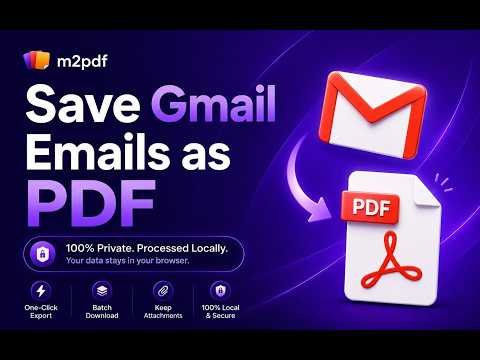
Save, export and download Gmail emails to PDF with attachments. 100% private local processing. Your emails never leave your browser.

Save Gmail emails as PDF, with attachments included, directly in your browser. M2pdf converts each email into a clean, text-searchable PDF, and embeds image and PDF attachments right into the file, so every email becomes one complete document. Everything is processed locally, so your emails never reach a third-party server. That is what makes M2pdf a fit for legal, financial, and HR work where confidentiality is not optional. Top Features: 100% Local and Private: Zero server uploads. Your emails and attachments stay on your computer. Attachments Inside the PDF: Embeds image and PDF attachments directly into the email PDF. Save other attachments alongside your PDF files. One-Click Export: Save any Gmail email as a high-quality, text-searchable PDF instantly. Batch Export: Convert up to 100 emails at once from any label, sender, or search result. Smart Organization: Automatic file naming and clean folder structures keep large exports easy to navigate. Customizable Output: Adjust layouts, headers, and link settings to fit your exact needs. Perfect For: Legal Professionals: Securely archive client communications and e-discovery files as complete, self-contained PDFs, without breaching confidentiality. Accountants and Finance: Batch export invoices, receipts, and tax records for easy offline storage. Freelancers and Agencies: Back up project approvals, contracts, and client requests. HR Departments: Save employee records, interview feedback, and confidential internal communications securely. How It Works: Install the M2pdf extension. Open Gmail and select or search for the emails you want to export. Click the M2pdf "Save as PDF" button. Download your PDFs and attachments instantly to your local drive. Free Tier Included: Start with 20 free conversions, with all core features included. Upgrade any time for unlimited exports.

Details

  • Version
    2.0.2
  • Updated
    August 14, 2026
  • Features
    Offers in-app purchases
  • Size
    1.9MiB
  • Languages
    English
  • Developer
    Website
    Email
    contact@m2pdf.com
  • Non-trader
    This developer has not identified itself as a trader. For consumers in the European Union, please note that consumer rights do not apply to contracts between you and this developer.

Privacy

Manage extensions and learn how they're being used in your organization

Save Gmail to PDF with Attachments by M2pdf has disclosed the following information regarding the collection and usage of your data. More detailed information can be found in the developer's privacy policy.

Save Gmail to PDF with Attachments by M2pdf handles the following:

Personally identifiable information

This developer declares that your data is

  • Not being sold to third parties, outside of the approved use cases
  • Not being used or transferred for purposes that are unrelated to the item's core functionality
  • Not being used or transferred to determine creditworthiness or for lending purposes

Support

For help with questions, suggestions, or problems, visit the developer's support site

Related

Email to PDF

5.0

Instantly Email to PDF and download a message. Convert it to a portable file and save email as PDF. Export Gmail emails with ease.

Convert Email to PDF

3.0

Batch convert email to PDF. Save Gmail emails as PDF online. Fast email to PDF converter. No printing needed.

Save Emails as PDF by cloudHQ

4.3

Export, convert and save Gmailâ„¢ emails as a PDF document

Email to PDF - Privacy First

1.0

Save multiple Gmail emails as text-based PDFs with one click. Images included. No need to grant access to your entire Gmail account.

Save Gmail Emails as PDF & Print in Bulk

5.0

Bulk export Gmail to PDF and print emails with one click. Safe, secure, and processed 100% locally on your device.

Rent Offers: Renter Calculator

5.0

Calculate your move-in, monthly costs, and keep notes on the rentals you've run calculations on.

Save Email as PDF — EML, MBOX, MSG, MHTML to PDF Converter

4.5

Try Save Email as PDF to archive Gmail or Outlook messages locally. Open MBOX and EML files, convert each one to a searchable PDF.

Convert Gmailâ„¢ to PDF (locally)

3.4

Convert your emails to PDF format on offline mode (without a server interaction; secure and private) to backup your emails

Save Emails from Gmail as PDF

4.6

Convert and save Gmail emails as PDF files with one click. Download your emails locally for secure and private message backup.

Gmail to PDF Converter

5.0

Convert Gmail emails to PDF with one click. Seamlessly integrates with Gmail's interface for easy email-to-PDF conversion.

Michael's Upgrade for TrakED

5.0

Upgraded features for TrakED in the THS. (This extension is not an official product of the THS or Intersystems TrakCare software.)

Save Emails from Gmail as PDFs and Print, DOWNLOAD ATTACHMENTS

5.0

Convert and Save Gmail Emails as PDFs, download attachments from selected emails in seconds 10-use trial.

Email to PDF

5.0

Instantly Email to PDF and download a message. Convert it to a portable file and save email as PDF. Export Gmail emails with ease.

Convert Email to PDF

3.0

Batch convert email to PDF. Save Gmail emails as PDF online. Fast email to PDF converter. No printing needed.

Save Emails as PDF by cloudHQ

4.3

Export, convert and save Gmailâ„¢ emails as a PDF document

Email to PDF - Privacy First

1.0

Save multiple Gmail emails as text-based PDFs with one click. Images included. No need to grant access to your entire Gmail account.

Save Gmail Emails as PDF & Print in Bulk

5.0

Bulk export Gmail to PDF and print emails with one click. Safe, secure, and processed 100% locally on your device.

Rent Offers: Renter Calculator

5.0

Calculate your move-in, monthly costs, and keep notes on the rentals you've run calculations on.

Save Email as PDF — EML, MBOX, MSG, MHTML to PDF Converter

4.5

Try Save Email as PDF to archive Gmail or Outlook messages locally. Open MBOX and EML files, convert each one to a searchable PDF.

Convert Gmailâ„¢ to PDF (locally)

3.4

Convert your emails to PDF format on offline mode (without a server interaction; secure and private) to backup your emails

Google apps