

Overview
Save emails from Gmail as tasks, resources, or notes in Notion
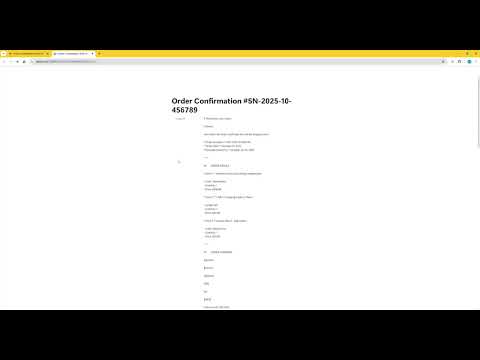
Save Gmail to Notion - Chrome Extension Transform Your Email Workflow with One Click Save Gmail to Notion is a powerful Chrome extension that seamlessly bridges Gmail and Notion, helping you turn important emails into actionable tasks, valuable resources, or structured notes—without ever leaving your inbox. 🎯 Why You Need This Stop Switching Between Gmail and Notion No more copying and pasting emails, manually creating Notion pages, or losing important email metadata. With one click, your emails become organized Notion entries—complete with sender info, timestamps, attachments, and original links. Perfect For: 📋 Professionals who manage tasks and projects from email 🔖 Knowledge Workers building personal knowledge bases 📝 Researchers collecting and organizing reference materials 💼 Teams coordinating work across Gmail and Notion 🎓 Students organizing course materials and communications ✨ Key Features 🎨 Fully Customizable Save Types Create unlimited custom save types tailored to your workflow: 📋 Work Tasks → Project management database 🔖 Reading List → Content to review later 📝 Meeting Notes → Meeting archive database 💡 Ideas & Inspiration → Creative collection 📊 Client Requests → CRM database ✅ Approvals → Approval tracking database Each type can have its own: Custom name and emoji icon Dedicated Notion database Unique field mappings AI-powered enhancements 🤖 AI-Powered Intelligence Enhance your saved emails with AI capabilities: Smart Summaries: Automatically generate concise email summaries Action Items: Extract actionable tasks from email threads Priority Detection: Automatically categorize email importance Custom Prompts: Create your own AI processing templates Batch AI Processing: Apply AI to multiple emails at once Supports multiple AI providers: OpenAI (GPT-4, GPT-3.5) Anthropic Claude Google Gemini Custom API endpoints 📦 Powerful Batch Operations Save time with bulk email processing: Select multiple emails in Gmail list view Apply the same save type to all at once Real-time progress tracking Automatic retry for failed items Cancel anytime during batch processing 🔧 Flexible Field Mapping Map Gmail fields to Notion properties exactly how you want: Supported Gmail Fields: Subject, From, To, CC, BCC Date & Time Email content (HTML or plain text) Email URL and Thread URL Labels and categories Attachments information Smart Data Transformations: Extract sender name only Extract email address only Format as full address (Name email@example.com) Convert date formats Transform arrays to Notion tags Custom text processing 🔗 Complete Email Context Every saved item includes: ✉️ Original email content (beautifully formatted) 🔗 Direct link back to Gmail 📎 Attachment details and links 👥 Complete sender/recipient information 🧵 Full thread context (optional) 🏷️ Gmail labels and categories 📅 Original timestamp 🌐 Multi-Language Support 🔒 Privacy & Security First Local Processing: All data processed on your device No Data Collection: We never store or access your emails Direct API Integration: Connects directly to your Notion account Secure Authentication: Uses Notion's official OAuth Open Source Ready: Built with transparency in mind
0 out of 5No ratings
Details
- Version0.0.1
- UpdatedDecember 3, 2025
- FeaturesOffers in-app purchases
- Size957KiB
- Languages2 languages
- DeveloperWebsite
Email
okeoke1011@gmail.com - Non-traderThis developer has not identified itself as a trader. For consumers in the European Union, please note that consumer rights do not apply to contracts between you and this developer.
Privacy

This developer declares that your data is
- Not being sold to third parties, outside of the approved use cases
- Not being used or transferred for purposes that are unrelated to the item's core functionality
- Not being used or transferred to determine creditworthiness or for lending purposes
Support
For help with questions, suggestions, or problems, please open this page on your desktop browser