


Overview
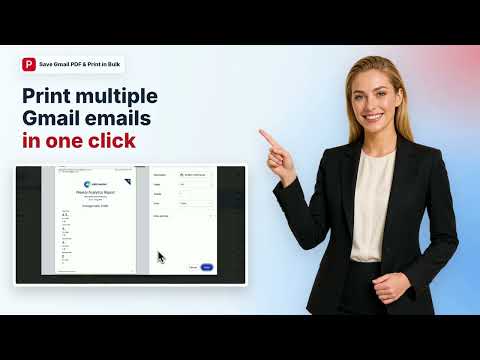
Bulk export Gmail to PDF and print emails with one click. Safe, secure, and processed 100% locally on your device.
Export multiple Gmail emails to PDF or Print with on click. Customize every detail: paper size (A4, Letter, Legal etc.), page orientation, and file naming pattern. Your mail data stays securely in your browser. 🌟 Top Features ✅ Batch Export: Select multiple emails → download all as PDFs in seconds. ✅ Bulk Print: Select emails and merge them into one PDF, ready to save or send to your printer. ✅ Save Entire Email Threads as PDF. ✅ Customize Everything: • Paper size (A4, Letter, Legal, etc.) • Orientation (portrait/landscape) • File naming rules for further orgnazation ✅ 100% Private: Local processing only. Your emails never leave your browser. No server uploads, no data collection. ✅ Attachments Included: Download files attached to your emails—automatically bundled with each PDF. ✅ 20 Free Exports or Print: Try 20 emails free. No credit card. No limits on customization. 🎯 Perfect For ✅ Legal & Compliance: Bulk-export email threads for litigation hold, discovery, or audit trails. Organize by sender/date. ✅ Finance & Accounting: Export receipt emails, invoice confirmations, and payment records—auto-filed by date for audit readiness. ✅ Sales & Partnerships: Download customer threads and contracts—organize by account name or date for CRM backup. ✅ HR & Recruiting: Archive offer letters, contracts, and reference checks with auto-naming by candidate name & date. ✅ Personal Use: Backup important emails, organize conversations by sender or subject. 🛠️ How It Works for Bulk Save Gmail Emails to PDF 1. Install the 'Save Gmail Emails as PDF in Bulk' extension. 2. Open Gmail and select the emails you want 3. Select the emails you want (one or many) 4. Click our 'PDF' button in the toolbar of Gmail 5. Download as PDFs and attachments (pack in zip) instantly to your local drive. 🛠️ How to Bulk Print Gmail Emails 1. Install the 'Save Gmail Emails as PDF in Bulk' extension. 2. Open Gmail and select the emails you want 3. Select the emails you want (one or many) 4. Click our 'Print button in toolbar of Gmail 5. Merge Multiple Emails as one PDF, you can Save it or Print it Directly.
4.3 out of 56 ratings
Details
- Version2.4.0
- UpdatedSeptember 28, 2026
- FeaturesOffers in-app purchases
- Size252KiB
- Languages14 languages
- Developer
- Non-traderThis developer has not identified itself as a trader. For consumers in the European Union, please note that consumer rights do not apply to contracts between you and this developer.
Privacy

Save Gmail Emails as PDF in Bulk has disclosed the following information regarding the collection and usage of your data. More detailed information can be found in the developer's privacy policy.
Save Gmail Emails as PDF in Bulk handles the following:
This developer declares that your data is
- Not being sold to third parties, outside of the approved use cases
- Not being used or transferred for purposes that are unrelated to the item's core functionality
- Not being used or transferred to determine creditworthiness or for lending purposes
Support
For help with questions, suggestions, or problems, visit the developer's support site