


Overview
Capture or record any part of a page, plus links, images and videos, into your save.design workspace — auto-titled and searchable.
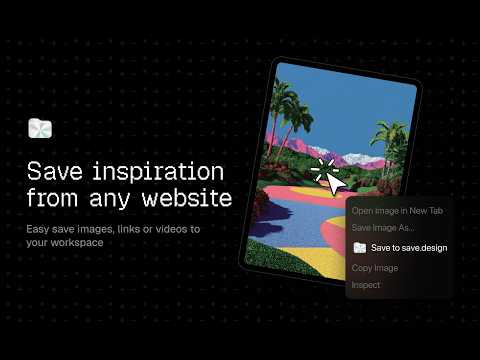
Save Design lets you capture design inspiration from anywhere on the web and organize it in your save.design workspace. What you can save: - Sections — drag to select any part of a page and save it as a screenshot (or press Alt+Shift+S) - Recordings — select any part of a page and record it as a video: hover effects, scroll animations, transitions (or press Alt+Shift+R) - Links — save any webpage with one click - Multiple tabs at once — Cmd/Ctrl-click tabs in your tab bar, save up to 10 at once - Images — right-click any image to save it - Videos — right-click any video to save it, thumbnail generated automatically Smart Capture — your saves fill themselves in: Screenshots, images, recordings and videos are analyzed the moment they land: AI writes the title, description, category and tags, focused on the design patterns the capture uses. For recordings it watches the motion, so an interaction is described by how it moves, not just how it looks. Everything you save is then indexed for Natural Search, so you can find it by describing it ("dark pricing table with a monthly/annual toggle") instead of remembering where you filed it. Included on every plan. Preview: https://youtu.be/yivVwNE3LOg Features: - Capture Section — click the extension, drag to select any region, preview it, retake if you missed, and save (preview: https://youtu.be/yiOXjL0EH9g) - Record Section — select an area and record up to 60 seconds of it while you use the page. Trim the start and end on a filmstrip, scrub to any frame, retake, and save. The page it came from is saved with it. - Keyboard shortcuts — Alt+Shift+S to capture, Alt+Shift+R to record (Option+Shift on Mac). Press Alt+Shift+R again to stop recording. - Right-click context menu — save the current page, a link, an image or a video without opening the popup; - Bulk tab save — up to 10 links in one click (preview: https://youtu.be/AxXhpUnE4FI); - Tech stack analysis — auto-detect fonts, frameworks and UI libraries on the sites you save (toggle per save; unlimited on paid plans); - Save to several folders at once, search your folders, and create new ones without leaving the page; - Add notes to anything you save; - Switch between multiple workspaces; - Duplicate check — folders that already hold the link are marked before you save, so the same page doesn't get filed twice. Campaign junk like ?utm_source=... doesn't fool it, and you can still save anyway. - Works on any website; How it works: 1. Click the extension icon, or right-click any page, link, image or video 2. Pick a workspace and folder 3. Add an optional note 4. Hit Save (or Cmd/Ctrl + Enter) To capture a section: press Alt+Shift+S (Option+Shift+S on Mac), or click the extension icon and choose Capture. The page dims — drag to select any area (ESC cancels). Check the preview, retake if needed, then save. Title, description and tags are written for you, and the capture is searchable the moment it lands in your workspace. To record a section: press Alt+Shift+R (Option+Shift+R on Mac), or click the extension icon and choose Record. Drag to select an area and recording starts. The page stays fully usable, so hover, scroll and click to show the interaction. Stop with the STOP button, Alt+Shift+R again, or the extension icon (it shows REC while recording). Then trim, and save. You can change either shortcut any time at chrome://extensions/shortcuts. To save multiple tabs at once: Cmd-click (Mac) or Ctrl-click (Windows) several tabs in your browser tab bar, then click the extension — pick a folder and save them all in one step. Requires a save.design account — free to start, paid plans from $3/month for unlimited saves and analyses. Sign up at save.design
5 out of 55 ratings
Details
- Version1.7.1
- UpdatedOctober 7, 2026
- FeaturesOffers in-app purchases
- Size373KiB
- LanguagesEnglish
- DeveloperVioletta SamkoWebsite
Yevropeiskoho Soiuzu Ave Kyiv, місто Київ 04208 UAEmail
hi@save.designPhone
+380 50 067 4527 - TraderThis developer has identified itself as a trader per the definition from the European Union and committed to only offer products or services that comply with EU laws.
Privacy

Save Design has disclosed the following information regarding the collection and usage of your data. More detailed information can be found in the developer's privacy policy.
Save Design handles the following:
This developer declares that your data is
- Not being sold to third parties, outside of the approved use cases
- Not being used or transferred for purposes that are unrelated to the item's core functionality
- Not being used or transferred to determine creditworthiness or for lending purposes