“Save as MHTML”的产品徽标图片

Save as MHTML

精选
3.5(

40 个评分

)
产品视频缩略图
Save as MHTML的项目媒体 2(屏幕截图)

概述

编辑并以MHTL/MHT(MIME HTML)存档格式保存活动标签或选定区域,以获得一个干净的单文件备份。

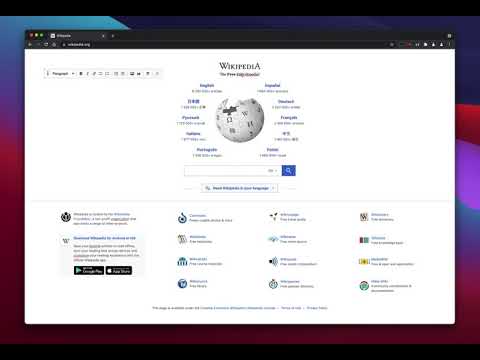
This extension offers a toolbar button to save the current page in the MHTML/MHT web archive format, which converts all online links to the offline version and saves all online resources offline enabled. MHTML (short for MIME HTML) is a file extension for a Web page archive file format. The archived Web page is an MHTML document. MHTML saves the Web page content and incorporates external resources, such as images, applets, Flash animations, and so on, into HTML documents. When you save a Web page as a Web archive, the page is saved as an MHTML file. Any relative links in the HTML (those that don't include all information about the location of the content but assume all content is in a directory on the host server) will be remapped so the content can be located. MHTML files may also go by the extension MHT. This extension also offers two different tools to edit the content of the page before generating the MHTML file. You can use the toolbar button's context menu to access these tools. Either you can edit the page by switching to the design mode where you can change text formating to bold and italic, remove content, insert an image. Or select a part of the page and ask the extension to create a new document from the selected text.

3.5 星(5 星制)40 个评分

详细了解结果和评价。

详情

  • 版本
    0.4.3
  • 上次更新日期
    2025年8月16日
  • 提供方
    brian.girko
  • 大小
    129KiB
  • 语言
    12 种语言
  • 开发者
    邮箱
    brian.girko@gmail.com
  • 非交易者
    该开发者尚未将自己标识为交易者。欧盟地区消费者须知:消费者权利可能不适用于您与该开发者达成的合约。

隐私权

管理扩展程序并了解它们在组织中的使用情况
该开发者已披露,此产品不会收集或使用您的数据。

该开发者已声明,您的数据:

  • 不会因未获批准的用途出售给第三方
  • 不会为实现与产品核心功能无关的目的而使用或转移
  • 不会为确定信用度或放贷目的而使用或转移

支持

若有任何疑问、建议或问题,请访问开发者的支持网站

相关

FullDownload

4.6

Full download JS/CSS/HTML

online / offline Bookmark Manager

4.5

Bookmark Viewer/Editor: no uploads reqd.(offline), full tab view.

Save Page as MHTML

4.0

Save a page's content and combine all of the resources into one file!

Webrecorder ArchiveWeb.page

4.3

Create high-fidelity web archives directly in your browser

Save As MHT

4.0

Save page as `.mht` files.

Save Webpages Offline As MHTML

4.4

Save offline copy of current tab as MHTML file. Keyboard Command Alt+S.

SingleFile

4.4

将一个完整的页面保存到单个 HTML 文件中

Save Page WE

4.4

Save a complete web page (as curently displayed) as a single HTML file that can be opened in any browser.

Save as MHTML (MIME HTML)

3.7

Save a page content & incorporate all resources (i.e. images) in a single file!

Design Mode - Page's Rich Text Editor

4.7

通过切换到设计模式来编辑任何页面的内容,在那里你可以修改内容,并像Word编辑器一样拖动图片。

网页剪贴簿

3.8

获取网页至本地或后端服务器供检索、组织、加注、编辑。

Just One File

4.1

保存网页可见部分到一个Html文件。看到什么样式的页面,保存的就是什么样的页面,所见即所存。

FullDownload

4.6

Full download JS/CSS/HTML

online / offline Bookmark Manager

4.5

Bookmark Viewer/Editor: no uploads reqd.(offline), full tab view.

Save Page as MHTML

4.0

Save a page's content and combine all of the resources into one file!

Webrecorder ArchiveWeb.page

4.3

Create high-fidelity web archives directly in your browser

Save As MHT

4.0

Save page as `.mht` files.

Save Webpages Offline As MHTML

4.4

Save offline copy of current tab as MHTML file. Keyboard Command Alt+S.

SingleFile

4.4

将一个完整的页面保存到单个 HTML 文件中

Save Page WE

4.4

Save a complete web page (as curently displayed) as a single HTML file that can be opened in any browser.

Google 应用