


İcmal
Edit and save active tab or selected area in MHTL/MHT (MIME HTML) archive format to have a clean single-file backup
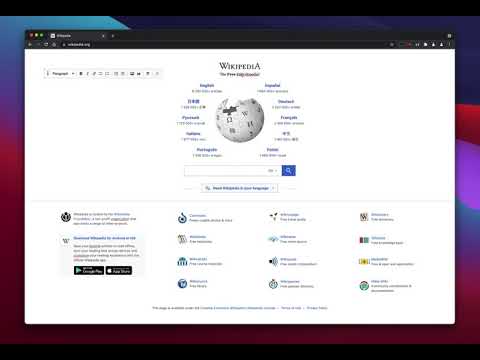
This extension offers a toolbar button to save the current page in the MHTML/MHT web archive format, which converts all online links to the offline version and saves all online resources offline enabled. Right-click Context Menu Functions: 1. Design Mode: You can edit the current page and add or remove images. 2. Reader View (declutter): Simplifies the page by keeping the main content only. It removes banners, toolbars, and advertisements from the page. This extension uses Mozilla's Readability library to simplify web pages. 3. Keep Selection Only: Creates a new document from the selected text. Use it if you need to archive part of a page. MHTML (short for MIME HTML) is a file extension for a Web page archive file format. The archived Web page is an MHTML document. MHTML saves the Web page content and incorporates external resources, such as images, applets, Flash animations, and so on, into HTML documents. When you save a Web page as a Web archive, the page is saved as an MHTML file. Any relative links in the HTML will be remapped so the content can be located. Relative links are those that don't include all information about the location of the content but assume all content is in a directory on the host server MHTML files may also go by the extension MHT.
3,5/540 reytinq
Detallar
- Versiya0.4.3
- Güncəlləndi16 avqust 2025
- Təklif edənbrian.girko
- Ölçü129KiB
- Dillər12 dil
- Tərtibatçı
E-poçt
brian.girko@gmail.com - Qeyri-kommersiya məqsədli biznesBu tərtibatçı özünü kommersiya məqsədli biznes kimi təqdim etməyib. Avropa İttifaqındakı istehlakçılar baxımından istehlakçı hüquqlarının sizinlə bu tərtibatçı arasındakı müqavilələrə tətbiq edilməyə biləcəyini nəzərə alın.
Məxfilik

Bu tərtibatçı data ilə bağlı aşağıdakıları elan edir:
- Təsdiqlənmiş istifadə halları xaricində üçüncü tərəflərə satılmır
- Elementin əsas funksionallığı ilə əlaqəli olmayan məqsədlərlə istifadə olunmur və ya ötürülmür
- Kredit güvənliyini müəyyən etmək və ya kredit vermək üçün istifadə olunmur və ya ötürülmür
Dəstək
Suallar, təkliflər və ya problemlərlə bağlı yardım üçün tərtibatçının dəstək saytına daxil olun.