Satsunic SEO Crawler
1 rating
)


Overview
Map a website, find technical SEO issues, and prepare a clear repair report in Chrome.
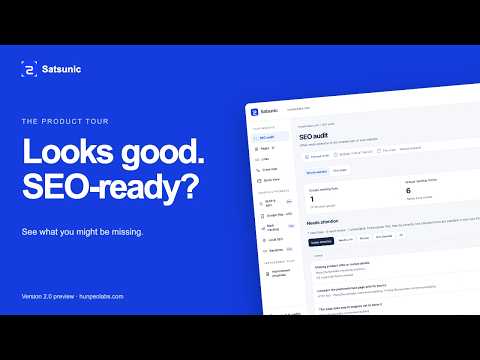
Less SEO guesswork. More clarity. Satsunic SEO Crawler is a free SEO audit and website crawler for Chrome. Check on-page SEO, explore internal links, and turn technical findings into useful reports—with the evidence and next steps right beside them. Whether you manage your own website, build for clients, or work in SEO, Satsunic helps you answer three practical questions: What did the scan find? Why does it matter? What should I check or change next? START WITH A PAGE. SEE THE BIGGER PICTURE. Click the extension icon to open a compact toolbar on your website. Use Quick View for page details, or start a crawl to explore more pages and their connections. A crawl can attempt up to 500 public HTTPS URLs on the selected website. Switch between “This page” and “Whole website” to inspect one page or review the pages covered by your crawl. CHECK THE DETAILS THAT MATTER • Titles and meta descriptions — inspect the actual text and related findings. • Headings and images — review H1–H6 structure and image alt attributes. • Crawlability signals — inspect robots directives, canonical URLs, sitemap references, and hreflang. • Links and HTTP responses — explore internal links, external link attributes, and observed response statuses. • Structured data and social tags — inspect JSON-LD, Open Graph, and Twitter Card metadata. • Content patterns — review repeated phrases and keyword density as descriptive measurements, not ranking targets. • Crawl map — explore how discovered pages connect through internal links. Results stay tied to what was actually observed. See affected URLs, supporting evidence, and practical guidance. Passed checks, issues, items needing review, unavailable data, and checks that do not apply remain distinct. LESS TRANSLATING REPORTS. MORE USEFUL NEXT STEPS. Share findings in the format that fits your workflow: • PDF: Create branded, colour-coded A4 reports through Chrome’s Print / Save as PDF dialog. • AI-ready Markdown: Export findings, evidence, suggested actions, and verification steps for your chosen AI tool. • JSON and CSV: Take your data into spreadsheets, scripts, or further analysis. AI exports are local files you control. Satsunic does not automatically upload them to an AI service. YOUR WEBSITE. YOUR CALL. Crawling starts only when you request it. Satsunic does not request permanent access to every website or upload your scan results to a Satsunic server. Crawl requests go directly from your browser to the selected website. Reports remain in the report tab until you close it; export anything you want to keep. English and Vietnamese interfaces. Light and dark themes. Free features, no account required, and optional donations to support development. CLEAR ABOUT WHAT WAS CHECKED Website crawls read static HTML and cover only successfully inspected URLs within the scan limits. They do not render an entire website’s JavaScript, follow redirects, or crawl query-string URLs and other origins. Satsunic does not automatically edit your website, guarantee rankings, or confirm Google indexing. Missing or unavailable evidence is never counted as a successful check. Open a page. Start a scan. Know your next step.
5 out of 51 rating
Details
- Version1.0.1
- UpdatedSeptember 12, 2026
- Offered byHunpeoLabs
- Size701KiB
- Languages2 languages
- DeveloperHung Pham
1801 McCord Way Apt 1214 Frisco, TX 75033 USEmail
phamhung.pitit@gmail.com - Non-traderThis developer has not identified itself as a trader. For consumers in the European Union, please note that consumer rights do not apply to contracts between you and this developer.
Privacy

Satsunic SEO Crawler has disclosed the following information regarding the collection and usage of your data. More detailed information can be found in the developer's privacy policy.
Satsunic SEO Crawler handles the following:
This developer declares that your data is
- Not being sold to third parties, outside of the approved use cases
- Not being used or transferred for purposes that are unrelated to the item's core functionality
- Not being used or transferred to determine creditworthiness or for lending purposes
Support
For help with questions, suggestions, or problems, please open this page on your desktop browser