

SAP CITS - Cloud Integration Technical Specification
4 ratings
)
Overview
Generates global enterprise SAP Cloud Integration technical specifications generator
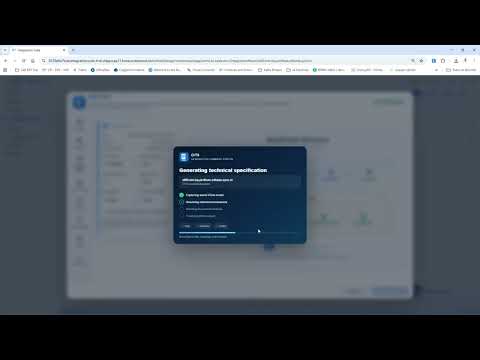
Cloud Integration Technical Specification Generator SAP CITS is a purpose-built Google Chrome extension for SAP BTP Integration Suite – Cloud Integration, also commonly known as SAP CPI. CITS generates professionally structured Microsoft Word technical specifications directly from a saved SAP Cloud Integration iFlow. It reduces repetitive documentation work and provides architects, developers, reviewers and project teams with a consistent technical specification baseline. The extension operates directly inside the SAP Cloud Integration interface and guides the user through capture, document configuration, peer review and export. Core Capabilities One-Click Technical Specification Generate complete .doc and .docx technical specification documents directly from the active saved iFlow. The CITS action is integrated into the SAP Cloud Integration editor and remains available through a draggable workspace. Automated iFlow Analysis CITS reads and structures information exposed by the active SAP Cloud Integration session, including: → iFlow metadata and package information → Main and Local Integration Processes → sender and receiver communication channels → adapters and connectivity settings → Content Modifiers → Routers, Filters, Multicast and Splitter/Gather steps → Groovy and JavaScript resources → Message Mappings and field-level mapping inventories → externalized parameters → Process Direct relationships → resource inventory and usage → exception subprocesses → retry, message-state recovery and persistence patterns → Visual Technical Architecture CITS automatically generates standardized technical canvases for: → architecture overview → communication channels → Process Direct relationships → processing logic → Content Modifiers → routing and filtering → Message Mappings → externalized parameters → exception handling and resilience The visual model is consistent across the generated document and Peer Review workspace. Peer Review Support Before export, CITS provides a dedicated Peer Review experience with: → automatically detected review points → implementation assumptions → unresolved design-time gaps → resilience and recoverability indicators → test evidence and approval information → document revision and governance data → Security-Aware Documentation All document processing is performed locally in the browser. iFlow content is not transmitted to external CITS servers. CITS documents technical references such as: → usernames explicitly configured in the iFlow → credential aliases → certificate aliases → OAuth aliases → authentication types → hosts, protocols and endpoints Sensitive values are protected, including: → passwords → tokens → API keys → client secrets → private keys → certificate contents → PEM blocks → Security Material contents CITS displays aliases and technical references only; it does not retrieve or expose secret values stored in SAP Security Material. Camel Expression Resolution Adapter and configuration fields containing Camel or Simple expressions can be documented together with safely resolved design-time values. Example: → ${property.TargetDirectory} → /archive/outbound Runtime-only expressions remain identified as runtime-derived. Local and Dependency-Free Architecture CITS is implemented with native browser technologies and purpose-built JavaScript modules. Its architecture includes: → SAP Cloud Integration content scripts → local iFlow parsing and normalization → HTML5 Canvas diagram generation → local DOC and DOCX generation → lightweight ZIP and OOXML utilities → Chrome local storage for user preferences and temporary session state No external CITS backend, cloud service or third-party document-generation API is required. Important Notes: → CITS reads the saved design-time version of the active iFlow. → Unsaved editor changes may not be included. → Generated specifications must be technically reviewed before production approval or project handover. → CITS is an independent community project and is not an official SAP product. → SAP and other SAP products and services mentioned are trademarks or registered trademarks of SAP SE in Germany and other countries. → Privacy CITS processes integration information locally within the browser and the authenticated SAP Cloud Integration session. No iFlow payload, source code, credentials or generated document is sent to an external CITS server.
5 out of 54 ratings
Details
- Version2.0.0 — Enterprise Global Final
- UpdatedAugust 8, 2026
- Offered byRicardo Viana
- Size238KiB
- LanguagesEnglish
- Developer
Email
rhviana@gmail.com - Non-traderThis developer has not identified itself as a trader. For consumers in the European Union, please note that consumer rights do not apply to contracts between you and this developer.
Privacy

This developer declares that your data is
- Not being sold to third parties, outside of the approved use cases
- Not being used or transferred for purposes that are unrelated to the item's core functionality
- Not being used or transferred to determine creditworthiness or for lending purposes