

Sanitas — The Data Sanitizer

Overview
Sanitize sensitive text locally before supported AI chats, then restore placeholders locally.
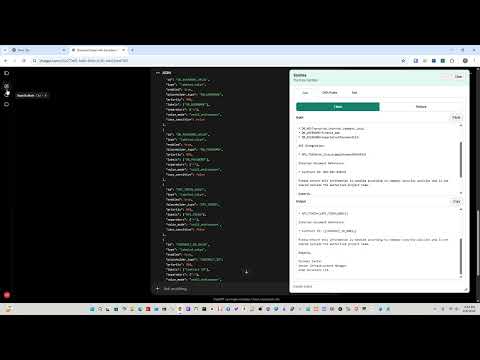
Sanitas helps users reduce accidental sensitive-data exposure when working with supported online AI sites. It runs locally in the browser as a Manifest V3 Chrome extension. Use Clean mode to replace supported sensitive values with stable placeholders such as [[EMAIL_0001]], [[IPV4_0001]], and [[HOSTNAME_0001]]. After manually copying sanitized text into a supported AI site, users can paste a placeholder response back into Sanitas and switch to Restore mode to restore known placeholders locally. The floating Sanitas window includes a Text tab for the Clean/Restore workflow, a DSN Rules tab for session-only JSON detection rules, and a Tool tab for generating a copyable DSN rule prompt from dummy-safe examples. Users import trusted .dsn.json files manually, view/edit/export/remove loaded rulesets, and can open the public Sanitas ruleset repository for manual downloads. Sanitas stores temporary restore mappings, active DSN rules, textarea workspace state, and output state only in browser session storage through the extension service worker. It stores only harmless preferences, including selected AI site, collapsed state, theme, and window geometry, in local storage. Sanitas has no backend, no telemetry, no analytics, no sync storage, no auto-submit, no background scraping, no direct AI-site insert button, and no direct AI-site capture button. Restored data stays inside Sanitas.
0 out of 5No ratings
Details
- Version0.1.0
- UpdatedJune 10, 2026
- Offered bySERYALDA LLC
- Size122KiB
- LanguagesEnglish
- DeveloperSERYALDA LLC
2810 N Church St Wilmington, DE 19802 USEmail
info@seryalda.comPhone
+1 914-861-5974 - TraderThis developer has identified itself as a trader per the definition from the European Union and committed to only offer products or services that comply with EU laws.
- D-U-N-S119179370
Privacy

Sanitas — The Data Sanitizer has disclosed the following information regarding the collection and usage of your data. More detailed information can be found in the developer's privacy policy.
Sanitas — The Data Sanitizer handles the following:
This developer declares that your data is
- Not being sold to third parties, outside of the approved use cases
- Not being used or transferred for purposes that are unrelated to the item's core functionality
- Not being used or transferred to determine creditworthiness or for lending purposes
Support
For help with questions, suggestions, or problems, visit the developer's support site