

Sanctum — Pause and Choose Again on YouTube

Overview
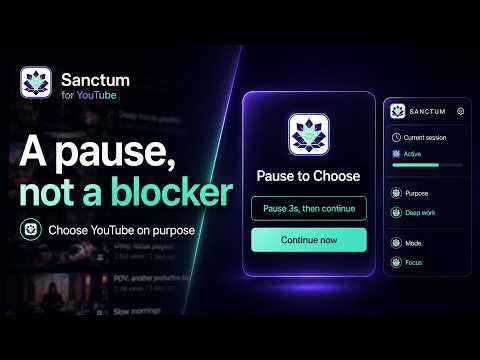
When recommendations, autoplay, or Shorts pull you away from why you opened YouTube, pause and choose what happens next.
Sanctum — Pause and Choose Again on YouTube When recommendations, autoplay, or Shorts carry you away, pause and choose whether to keep watching, return to your purpose, or take a short break. Sanctum is a digital wellbeing extension that helps you pause and choose again when you forget why you opened YouTube and drift into recommendations, autoplay, or Shorts. It does not forcibly block YouTube or judge your screen time. It creates a small decision point and lets you choose what happens next. ■ Core features · Set an intent — choose “find and leave,” “watch with focus,” “take it easy,” or “not sure yet,” or write your own purpose. You can skip or change it later. · Right Moment checkpoints — after repeated recommendation clicks, autoplay transitions, or Shorts swipes, Sanctum brings your current purpose back into view. · Intervention timing — choose Quiet, Balanced, or Protected timing. · Choose again — keep watching, return to your original purpose, leave the YouTube tab, or open a Cherry Break. Keeping watching is not treated as failure. · Shorts time boundary — choose 10 minutes, 20 minutes, or a custom duration. When time is up, choose a five-minute extension, return, or open a Cherry Break. · Cherry Break — when you choose it, step out of the automatic loop with a short timer and optional video or audio. · Local reflection and records — keep a simple seven-day reflection and recent intervention context on this device. You can turn recording off or delete the records. · Thumbnail softening — optionally reduce the visual intensity of attention-grabbing thumbnails. ■ Privacy To provide its features, Sanctum processes the current YouTube page type, recommendation/autoplay/Shorts transitions, playback state, button choices, and the intent you enter on your device. By default, intents, sessions, reflections, settings, and intervention records stay in Chrome local storage. Sanctum does not transmit YouTube URLs, video titles, search terms, page body text, or YouTube account information to its servers. Optional transmission occurs only in these cases: · If you enable improvement feedback, Sanctum may send structured product-improvement events such as app version, intervention type, selected action, coarse time buckets, language, and timestamp. · If you press Send feedback, Sanctum sends the text you wrote together with app version, language, and timestamp. Do not include personal or sensitive information. · After uninstall, an optional survey may open. You do not have to respond. The uninstall URL may include source, extension version, and browser language. · If you choose external media in Cherry Break, a media request is made to Pixabay or its CDN, and that service's privacy policy may apply. Sanctum does not sell user data and does not use it for personalized advertising, credit, lending, insurance, employment, or eligibility decisions. ■ FAQ Q. Will Sanctum stop me from watching YouTube? A. No. It is not a forced blocker. Keeping watching is still a valid choice you make again. Q. Is it an ad blocker? A. No. Sanctum does not remove ads. Q. Is it a medical or addiction treatment tool? A. No. It does not provide diagnosis, treatment, or counseling. Q. Can I delete my data? A. You can disable local intervention recording and delete local records from the popup. Removing the extension causes Chrome to remove the extension's local storage. Languages: English, Korean, Japanese, Simplified Chinese, Traditional Chinese, Spanish, German, French, and Portuguese.
5 out of 53 ratings
Details
- Version1.4.8.16
- UpdatedJuly 27, 2026
- Size2.6MiB
- Languages9 languages
- Developer
- Non-traderThis developer has not identified itself as a trader. For consumers in the European Union, please note that consumer rights do not apply to contracts between you and this developer.
Privacy

Sanctum — Pause and Choose Again on YouTube has disclosed the following information regarding the collection and usage of your data. More detailed information can be found in the developer's privacy policy.
Sanctum — Pause and Choose Again on YouTube handles the following:
This developer declares that your data is
- Not being sold to third parties, outside of the approved use cases
- Not being used or transferred for purposes that are unrelated to the item's core functionality
- Not being used or transferred to determine creditworthiness or for lending purposes
Support
For help with questions, suggestions, or problems, visit the developer's support site