


Overview
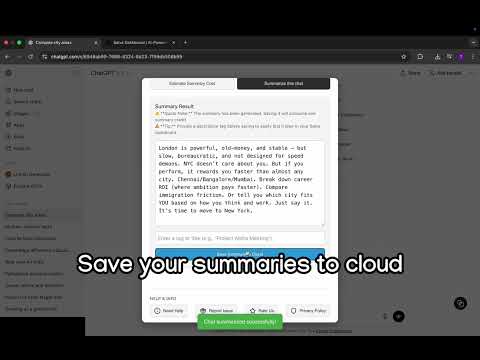
Generate clear & simple summaries of your ChatGPT conversations and save them as customisable PDFs.
Save, organize, and export your ChatGPT conversations effortlessly. Salva is a Chrome extension that helps you save ChatGPT conversations, create summaries, and export insights to PDF, all without copy-paste or clutter. Key Features • Save ChatGPT Conversations – Capture important ChatGPT responses with one click. • Summarize Chats – Generate and store clean summaries from long conversations. • Organize with Tags – Categorize saved summaries for easy reference. • Search Your Notes – Quickly find saved ChatGPT summaries when you need them. • Export to PDF – Download ChatGPT conversations and summaries as PDFs. • Cross-Device Access – Sign in to access your saved summaries from anywhere. Privacy First Your ChatGPT conversations are never sent to our servers unless you explicitly save a summary. PDF generation happens entirely in your browser. Free to Start Start free and upgrade anytime to unlock higher limits and priority support. Install Salva and turn your ChatGPT conversations into a searchable knowledge base.
0 out of 5No ratings
Details
- Version3.0.4
- UpdatedJanuary 6, 2026
- Size1.45MiB
- LanguagesEnglish
- DeveloperWebsite
Email
dev.pavish@gmail.com - Non-traderThis developer has not identified itself as a trader. For consumers in the European Union, please note that consumer rights do not apply to contracts between you and this developer.
Privacy

Salva: Never lose a ChatGPT insight again has disclosed the following information regarding the collection and usage of your data. More detailed information can be found in the developer's privacy policy.
Salva: Never lose a ChatGPT insight again handles the following:
This developer declares that your data is
- Not being sold to third parties, outside of the approved use cases
- Not being used or transferred for purposes that are unrelated to the item's core functionality
- Not being used or transferred to determine creditworthiness or for lending purposes
Support
For help with questions, suggestions, or problems, visit the developer's support site