

Allow Copy +

Overview
Allow copy & paste: remove copy protection, enable right click, context menu, text selection. Force paste where blocked. Free, easy.
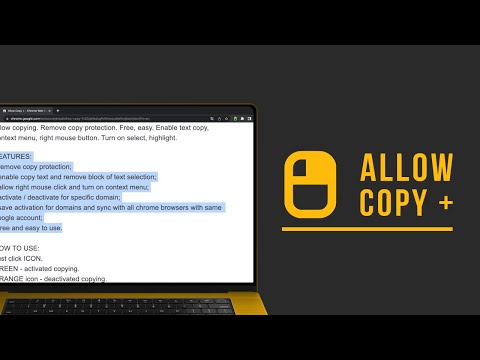
🤩 If you like Allow Copy +, rate 5 stars to extension 🤩 Allow Copy + removes copy protection on websites: copy text, select text and use the right-click menu again, even on copy-protected and content-protected pages. And with Force Paste you can paste where a website blocks Ctrl+V. Copy unlocking is free, as it always was. FEATURES: - remove copy protection, enable copy text, remove block selection; - allow right mouse click and turn on context menu; - activate / deactivate for specific domain; - sync across all your browsers in Chrome, signed in to the same account on Google; - free and easy to use; - 📋 Force Paste: allow paste in fields that block Ctrl+V; - ✨ Ask AI (Quick Send to AI): send text, links and screenshots to ChatGPT, to Claude, to Gemini and to other AI chats; - 🖼️ Grab Text: copy text from images and canvas, including in Google Docs. 📋 FORCE PASTE: ALLOW PASTE WHERE WEBSITES BLOCK IT Paste blocked? Some websites ignore Ctrl+V, say "pasting is not allowed" or silently drop what you paste. Force Paste puts your copied text in anyway: - "confirm email", "repeat password" and other sign-up form fields; - online banking and payment forms: card, account and IBAN numbers; - rich text and code editors on websites, online documents, documents in Google Docs, fields inside iframes; - coding platforms and online tests that turn paste off. How: right-click the field → 📋 Force Paste, or use a hotkey: check or set it in chrome://extensions/shortcuts. Fields that accept only typing get your text character by character in the "Type it" mode. Free to use every day, with a daily limit. A one-time payment removes it, no subscription. ✨ ASK AI (Quick Send to AI): SEND TO CHATGPT, TO CLAUDE, TO GEMINI IN ONE CLICK - Send selected text, links, images or a screenshot of a webpage directly to your AI chat using the right-click context menu or a hotkey. - Works through the AI chat you're already signed in to: no API key needed. - Hotkeys: send to your last AI tab, repeat your last action, send a screenshot of an area. Check or set them in chrome://extensions/shortcuts. - Quick prompts: Quick Answer, Fix & Professionalize, Explain Like I'm 5, Translate & Explain Nuance. Free to use every day, with a daily limit. A one-time payment removes it, no subscription. 🖼️ GRAB TEXT: COPY TEXT FROM IMAGE AND CANVAS UNDER YOUR CURSOR - Grab text from image files and canvases: hover a picture, click "Grab Text", and the recognized text appears right on top of the image, ready to select and copy. - Extract text from images: screenshots, scanned documents, infographics, memes, charts, online book readers, images on LinkedIn or on Instagram. - Detects the language by itself and reads Latin, Cyrillic, Greek, Chinese, Japanese, Korean, Arabic and many other scripts. - Recognition is a paid feature, with a free try to see that it works. Your images are not stored. - Download the image: the same hover panel saves the picture for free, even where a website blocks right click and "Save image as". 🚨 IN GOOGLE DOCS, IN GOOGLE SHEETS AND IN VIDEOS - Documents in Google Docs and tables in Google Sheets draw text on a canvas, so ordinary copy unlocking can't work there. Grab Text reads the canvas too, so you can extract text from Google Docs and from Google Sheets: hover the page and click "Grab Text". It reads what is on screen, page by page (in Google Sheets, the visible area), and formatting is not kept. - For long documents, and to extract text from video, we officially recommend our specialized tool TextFromPro, or send a screenshot of an area to AI with a hotkey. HOW TO USE: Just click the ICON. GREEN - copying is activated. ORANGE - copying is deactivated. It works per website (domain). HOW TO USE, IN DETAIL: It's turned off by default, and you see the ORANGE icon. To activate text selection and copying: - open a copy-protected website; - click the extension's icon. The icon turns GREEN: "Allow Copy +" is active on this website, and it stays active when you close and reopen it. To deactivate it for the website, click the icon again (it turns ORANGE). Frequently Asked Questions & Capabilities: - How to copy text from a protected webpage on Chrome? If you are wondering how to copy text from a site in which the copy function is disabled, this extension provides a one-click solution. It helps you copy text from websites that don’t allow it by bypassing restrictive scripts. - Absolute enable right click & copy if disabled: Ever faced a situation where you cannot right click to copy and paste? Our tool will force copy text from a website and completely enable right click copy in Chrome, restoring your default browser behavior. - How to copy past an unselectable text? When webmasters block text selection, it can be frustrating. This extension solves the issue of why you can't I copy text from some websites, allowing you to seamlessly copy text when right click is disabled and easily interact with unselectable text. - How do you copy and paste without right clicking? If you need to copy text from a content-protected website or want to know how can I copy text from a web page where the text is copy protected, simply activate the extension to lift all restrictions instantly. - The text is still unselectable after activation. Why? It is probably not text but an image or a canvas, as in Google Docs. Hover it: Allow Copy + shows that it is a picture, lets you download it, and Grab Text can turn it into text you can copy. - A website doesn't let me paste. How to allow paste? Use Force Paste: right-click the field → 📋 Force Paste, or use its hotkey. It pastes into fields that block Ctrl+V, and the "Type it" mode types the text for fields that accept only typing. - Copy unlocking doesn't work on some website? Submit a request right from the extension: we check such websites and fix them in updates. All this question has one correct answer - Allow Copy +. 🤩 If Allow Copy + helps you, please rate it with 5 stars and leave a review. Thank you! 🤩
4.7 out of 51.3K ratings
Details
- Version4.3.4
- UpdatedNovember 25, 2026
- Size1.09MiB
- Languages50 languages
- DeveloperWebsite
Email
pidevex.extensions@gmail.com - Non-traderThis developer has not identified itself as a trader. For consumers in the European Union, please note that consumer rights do not apply to contracts between you and this developer.
Privacy

This developer declares that your data is
- Not being sold to third parties, outside of the approved use cases
- Not being used or transferred for purposes that are unrelated to the item's core functionality
- Not being used or transferred to determine creditworthiness or for lending purposes
Support
For help with questions, suggestions, or problems, please open this page on your desktop browser