

Salesforce.com Enhanced Formula Editor

概述
Enhances Salesforce formulas with syntax highlighting, autocomplete, formatting, field analysis, and syntax checking.
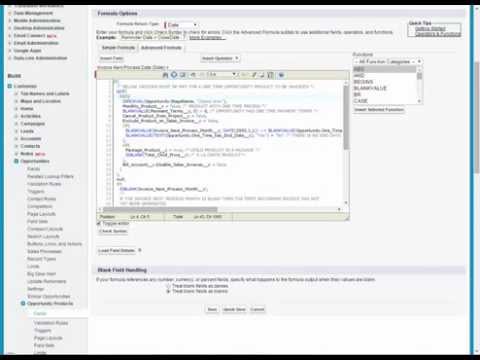
Use this extension to save time and headaches working with Salesforce formulas. It helps you quickly understand the structure of a Salesforce formula, debug it, and edit the formula. This extension requires a paid license key subscription and offers a free 14-day trial. Watch the video and visit the extension's website for examples of the below features: https://www.enhancedformulaeditor.com/ When you visit a Salesforce formula edit page it will automatically enhance the formula text field with a code editor or provide an Open button to use the code editor in a popup window. This includes Flow formulas, Process Builder formulas, formula fields, validation rule formulas, workflow rule formulas, and field update formulas. The extension is updated during each Salesforce quarterly release to support the latest API versions and the latest formula functions. Editor Features Include: - Syntax highlighting - Tabbing (tab and shift-tab) - Parentheses matching - Format button - Autocompletion - Review Changes - Automated Syntax Checking A new button named "Analyze Fields" is added to formula pages that loads details about the fields found in the formula. Field details include: - Field type - How many times it is used - Formula field compile sizes - Field record values - Picklist values - Sub formulas Have an issue or a great idea for this extension? Visit the support tab above to leave feedback. Updates 3/5/2023 - Format button support for Flows and Process Builders 6/12/2022 - Summer 2022 updates (new functions, latest api version) 2/8/2022 - Added automatic syntax checking 1/26/2022 - Added a Review Changes button to highlight what was changed 1/8/2022 - Autocomplete now searches in the middle of field names/functions 12/14/2021 - Added font family dropdown so fixed-width/monospace fonts can be used 12/12/2021 - Added field/function autocomplete for some instances 11/7/2021 - Added OAuth API Access for orgs that don't have the sid cookie available 8/7/2021 - Format formula improvements 6/8/2021 - Added support for cloudforce.com 3/21/2021 - Now supports flow and process builder formulas 2/15/2021 - Resize editor by dragging and dropping the bottom right corner 1/30/2021 - Picklist options now list the API Name and Label 1/9/2020 - Updated licensing system 11/22/2020 - Updated to use the latest metadata API version 6/30/2020 - Updated to use the latest metadata API version 1/6/2019 - Fixed some bugs handling decimal numbers 9/5/2018 - Added a button that formats the formula for you 7/11/2018 - Editor now remembers your font size 6/24/2018 - Now works with Lightning 3/1/2017 - Editor now remembers what size you made it 8/12/2015 - New "Load Field Details" button 7/11/2015 - Insert buttons for fields and functions work now 1/9/2012 - Fixed text wrapping in nowrap mode.
4.3 星(5 星制)58 个评分
详情
隐私权
该开发者已声明,您的数据:
- 不会因未获批准的用途出售给第三方
- 不会为实现与产品核心功能无关的目的而使用或转移
- 不会为确定信用度或放贷目的而使用或转移
支持
若有任何疑问、建议或问题,请访问开发者的支持网站