

Salesforce UI Data Inspector
1 rating
)
Overview
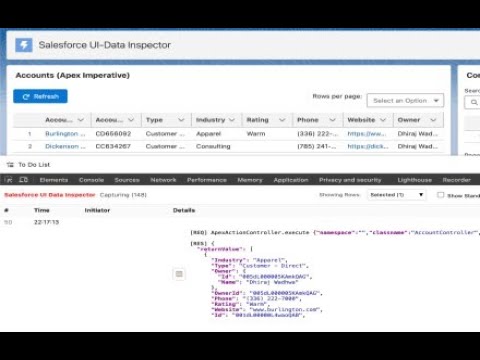
DevTools panel to inspect Salesforce network calls and SOQL.
Chrome DevTools extension to inspect Salesforce network calls and parse SOQL network requests that are made by UI components. Includes sophisticated row filtering and data highlighting. ## Features - **Smart Filtering**: Filter rows by number, URL, or hide standard UI/empty calls. - **Deep Inspection**: Decodes complex Aura and UI-API payloads automatically. - **SOQL Detection**: Extracts and displays SOQL queries visible in network traffic. ## Usage - Open any Salesforce Lightning page, open DevTools, switch to **Salesforce UI Data Inspector** panel. - Click **Start Capturing** to begin. - Filter by URL or SOQL using the filter box. - Requests are shown with a contextual interaction (last click within ~1.5s). The 'Initiator' column doesn't always bring the component names, I'm working on that. Row numbers might not come in a normal order and that's because there might be a lot of unnecessary rows that are fetched in the background which are caused by system UI components. These are visible when you click on 'Show Standard UI Calls' or 'Show Empty Calls' checkboxes. Please share your feedback\suggestions on how this can be improved and made more exciting for you!
5 out of 51 rating
Details
- Version0.1.0
- UpdatedJanuary 1, 2026
- Offered bywadhwadhiraj72
- Size294KiB
- LanguagesEnglish
- Developer
Email
dhirajw27@gmail.com - Non-traderThis developer has not identified itself as a trader. For consumers in the European Union, please note that consumer rights do not apply to contracts between you and this developer.
Privacy

This developer declares that your data is
- Not being sold to third parties, outside of the approved use cases
- Not being used or transferred for purposes that are unrelated to the item's core functionality
- Not being used or transferred to determine creditworthiness or for lending purposes
Support
For help with questions, suggestions, or problems, please open this page on your desktop browser