


Overview
Automatically refresh Salesforce list views and Reports at custom intervals
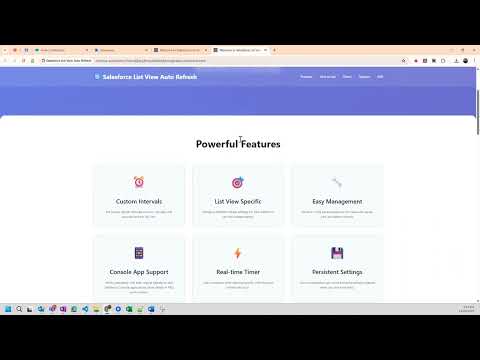
Automatically refresh Salesforce list views and Reports, and track record changes with rule-based highlighting Salesforce Auto Refresh – List Views & Reports Salesforce does not provide a built-in way to automatically refresh List Views or Reports. Salesforce Auto Refresh is a browser extension that refreshes them at configurable intervals, so you always see current data without manual reloads. It also detects new records and tracks field changes in List Views, highlighting them with rules you define. It works in both Standard and Console apps. KEY FEATURES 1. Automatic List View Refresh Refresh Salesforce List Views at user-defined intervals. 2. Automatic Report Refresh Keep Salesforce Reports up to date with configurable timing. 3. Object- and View-Specific Configuration Set different refresh intervals per Salesforce object and per List View. 4. Report-Specific Configuration Set a unique refresh interval for each Report. 5. Configuration Management Add, update, maintain, export and import refresh configurations. 6. Console & Standard App Support Works with Salesforce Console apps and Standard navigation. 7. Highlight New Records Highlights newly detected records so you can spot them instantly. (List Views only) 8. Track New Records Counts new records that appear at the top of the List View after a refresh. (List Views only) 9. Sound Alerts Plays a sound when new records are detected. (List Views only) 10. Track Record Changes with Rule-Based Highlighting (New) Monitor changes to existing records after each refresh. (List Views only) - Create rules on text, number, currency and date fields - Track a specific field or all fields - Assign a High, Medium or Low severity to each rule - Cells matching a rule are highlighted in the List View, color-coded by severity - A "Changed" badge shows how many records changed - Open the snapshot viewer to compare values before and after a refresh HOW RECORD CHANGE TRACKING HELPS - Spot when a deal's Amount, Stage or Close Date changes - Get alerted when a case's Status or Priority changes - Focus on high-severity changes first - Replace manual comparison of List Views before and after a refresh IDEAL FOR - Sales teams monitoring pipelines, deal updates and queues - Support teams tracking case List Views and status changes - Operations and management teams viewing live Reports - Salesforce admins and users who need near real-time data without manual refreshes Salesforce Auto Refresh saves time and keeps critical Salesforce data current and visible. Demo: https://youtu.be/5GFOoE47MV0 Updates: Oct 2026 - Add feature to track record changes with rule based highlighting July 2026 - Enable user to hide main config panel - Port features from main config panel to animated timer - Bug fixes Feb 2026 - Add feature to track new records in a list view after refresh - Add feature to highlight new records in a list view - Add feature to play sound notification when new records are detected in a list view Jan 2026 - Add feature to refresh Reports - Feature to Reinitialize app on demand when its not loaded - Fix bugs Dec 2025 - Add animated Timer and collapsible config panel - Fix bugs Oct 2025 - Fixed issue introduced after Salesforce release July 2025 - Fixed issue with tabs not in navigation bar
4.8 out of 56 ratings
Details
- Version1.10
- UpdatedOctober 21, 2026
- Size145KiB
- LanguagesEnglish
- Developermaninder singhWebsite
2674/196 NEAR TOTA RAM BAZAAR MOTHER DAIRY TRI NAGAR NORTH WEST DELHI, Delhi 110035 INEmail
manindersfdc@gmail.comPhone
+61 468 720 441 - TraderThis developer has identified itself as a trader per the definition from the European Union and committed to only offer products or services that comply with EU laws.
Privacy

This developer declares that your data is
- Not being sold to third parties, outside of the approved use cases
- Not being used or transferred for purposes that are unrelated to the item's core functionality
- Not being used or transferred to determine creditworthiness or for lending purposes
Support
For help with questions, suggestions, or problems, please open this page on your desktop browser