

Salesforce Digital Experience Cloud Sites Manager

Overview
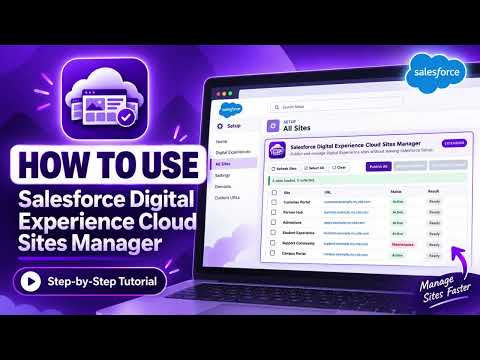
Bulk publish, activate, deactivate, and selectively manage Digital Experience sites directly from Salesforce Setup.
**Short description** Bulk publish, activate, deactivate, and selectively manage Digital Experience sites directly from Salesforce Setup. **Detailed description** Manage Salesforce Digital Experience sites in bulk without leaving Salesforce Setup. Salesforce Digital Experience Cloud Sites Manager adds an in-page management panel to Setup → Digital Experiences → All Sites, giving Salesforce administrators a faster way to work across multiple Experience Cloud sites. **Features** Publish all available Digital Experience sites in one operation. Select specific sites and publish only those sites. Activate selected sites. Deactivate selected sites for maintenance. Select all, clear selection, and refresh the site list. View site name, URL, current status, and per-site action result. Track bulk progress while allowing individual failures to be reported without stopping the entire batch. Works with current Salesforce Lightning Setup domains and legacy Lightning Setup host patterns. **Privacy-focused by design** The extension uses the Salesforce session for the org where you are already signed in so it can call Salesforce APIs for the actions you request. The Salesforce session token is not stored by the extension and is not sent to the extension developer or a third-party server. Site data is processed between your browser and Salesforce. The extension contains no advertising or third-party analytics. A one-time privacy notice is displayed before the extension first accesses the Salesforce session to load site information. **Requirements** Google Chrome or a compatible Chromium browser supporting Manifest V3. Access to Salesforce Setup and the relevant Digital Experience / Experience Cloud administrative permissions. An active Salesforce login session. Visit: ☞ https://www.cloudexamcoach.com/showcase
5 out of 52 ratings
Details
- Version1.0.1
- UpdatedSeptember 23, 2026
- Size44.07KiB
- LanguagesEnglish
- DeveloperWebsite
Email
support@cloudexamcoach.com - Non-traderThis developer has not identified itself as a trader. For consumers in the European Union, please note that consumer rights do not apply to contracts between you and this developer.
Privacy

Salesforce Digital Experience Cloud Sites Manager has disclosed the following information regarding the collection and usage of your data. More detailed information can be found in the developer's privacy policy.
Salesforce Digital Experience Cloud Sites Manager handles the following:
This developer declares that your data is
- Not being sold to third parties, outside of the approved use cases
- Not being used or transferred for purposes that are unrelated to the item's core functionality
- Not being used or transferred to determine creditworthiness or for lending purposes
Support
For help with questions, suggestions, or problems, please open this page on your desktop browser