


Overview
Extract and analyze job postings with AI, save structured data to Sage.Coach
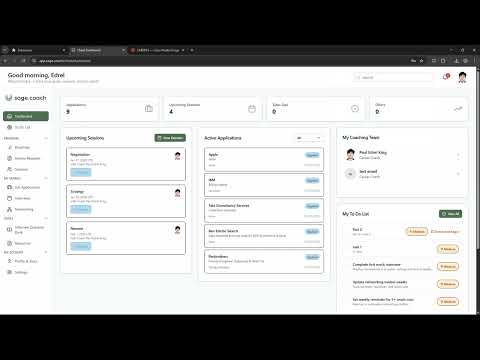
🚀 Sage.Coach Job Extractor Extract, analyze, and save job listings - instantly. The Sage.Coach Job Extractor reads job descriptions directly from your browser, uses AI to summarize and interpret the role, and saves it in structured form to your Sage.Coach workspace. Whether you're comparing roles, prioritizing opportunities, or collaborating with your coach, this extension gives you a smarter, faster way to track and evaluate job listings. 🧠 Key Features → 1‑Click Extraction: Grab job title, company, location, level, salary (if posted), and more—right from the page. → AI‑Powered Insights: Automatically highlights key responsibilities, must‑have qualifications, team signals, and red flags. → Structured Save to Sage: Save extracted listings to your personalized job tracker inside Sage.Coach, no copy/paste needed. → Works on Top Job Boards: Supports LinkedIn, Greenhouse, Lever, Workday, and more. → Custom Tags & Notes: Add personal notes, tags, or urgency levels to help prioritize roles. → Coach Collaboration Ready: Automatically share saved jobs with your coach for feedback and strategy. ✅ Perfect For → Job seekers using Sage.Coach to organize and accelerate their search → Anyone tired of juggling tabs, spreadsheets, and screenshots → Clients working with a coach who want smarter, faster progress Start saving and sorting your top roles in seconds—right from your browser. Requires a Sage.Coach account.
5 out of 52 ratings
Details
- Version0.0.1
- UpdatedFebruary 1, 2026
- Size2.8MiB
- LanguagesEnglish (United States)
- DeveloperWebsite
Email
extension@sage.coach - Non-traderThis developer has not identified itself as a trader. For consumers in the European Union, please note that consumer rights do not apply to contracts between you and this developer.
Privacy

This developer declares that your data is
- Not being sold to third parties, outside of the approved use cases
- Not being used or transferred for purposes that are unrelated to the item's core functionality
- Not being used or transferred to determine creditworthiness or for lending purposes