

SafeTuber – YouTube Parental Controls & Content Filter

Overview
Parental controls for YouTube: filter profanity, violence & adult content, block Shorts/comments, set age profiles & more.
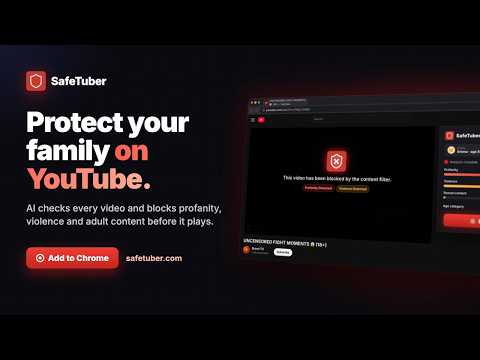
🛡️ SafeTuber — AI YouTube Content Filter & Parental Controls SafeTuber is an AI-powered YouTube content filter and parental control extension. It analyzes video transcripts in real time and automatically blocks content containing profanity, violence, adult or sexual material, and other age-inappropriate themes. Whether you’re a parent creating a safer YouTube experience for your children, a teacher managing classroom viewing, or an adult who wants a cleaner and more focused YouTube, SafeTuber puts you in control. ✅ Key Features • AI-powered content filtering — analyzes video transcripts in real time • Age Profiles — choose All Ages, 13+, 16+, or 18+ to filter videos according to age suitability • Parent Dashboard — manage your children’s YouTube protection remotely from the web • Remote rules — allow or block specific videos and channels; changes automatically sync to your child’s device • Child activity view — see which videos were watched or blocked and understand why they were blocked • Approval requests — children can request access to a blocked video, and parents can approve or deny it from the dashboard • Channel Allowlist — mark trusted channels as always allowed • Smart blockers — block YouTube Shorts, comments, live streams, YouTube Games and entire channels • PIN-protected settings — prevent children from changing protection rules • Weekly activity reports — receive an email summary showing how many videos were watched or blocked and why • Custom allow and block lists • Support for more than 30 languages 🎮 YouTube Games & Distraction Blocking SafeTuber helps parents reduce distractions beyond regular videos: • YouTube Games blocker — hides YouTube Playables game links and discovery sections • Direct Playables protection — redirects blocked YouTube Games pages back to the YouTube home page • Improved Shorts blocker — removes Shorts navigation links, shelves and video cards throughout YouTube • Direct Shorts protection — redirects Shorts pages back to the YouTube home page • Optional blocking for comments and live streams 👨👩👧👦 Parent Dashboard Create a profile for each child, link their browser, and manage their YouTube protection from one place: • View activity and blocked videos for each child • Choose an age profile and content protection settings • Create video and channel allow/block rules • Control Shorts, comments, live streams and YouTube Games remotely • Review and answer “Ask a Parent” requests • Assign and manage protected devices • Receive weekly activity reports by email • Protect parental controls with a dedicated PIN 🔒 Privacy-Friendly by Design Monitoring is off by default. Per-video activity is collected only when you: 1. Sign in to the extension with your parent account, and 2. Assign that device to a child profile in the Parent Dashboard. On every other device — including devices used by adults for their own content filtering — SafeTuber does not collect YouTube viewing history or browsing activity. SafeTuber never stores video transcripts, search terms or comments. Child activity records are automatically deleted after 90 days. Read the full privacy policy at safetuber.com/privacy 👥 Who Is SafeTuber For? • Parents looking for YouTube parental controls • Families with children and teenagers • Teachers and classrooms • Adults who want a cleaner, safer or more focused YouTube experience 🆕 What’s New • YouTube Games and Playables blocking • Improved Shorts blocking across navigation, recommendations and direct Shorts pages • Automatic redirection from blocked Shorts and Playables pages to the YouTube home page • Parent Dashboard controls for Shorts, comments, live streams and YouTube Games • Improved sign-in, device monitoring and parent settings synchronization • Performance, stability and reliability improvements Download SafeTuber now for a safer, cleaner and more manageable YouTube experience.
5 out of 58 ratings
Details
- Version1.3.20
- UpdatedOctober 15, 2026
- Size583KiB
- Languages30 languages
- DeveloperWebsite
Email
info@safetuber.com - Non-traderThis developer has not identified itself as a trader. For consumers in the European Union, please note that consumer rights do not apply to contracts between you and this developer.
Privacy

SafeTuber – YouTube Parental Controls & Content Filter has disclosed the following information regarding the collection and usage of your data. More detailed information can be found in the developer's privacy policy.
SafeTuber – YouTube Parental Controls & Content Filter handles the following:
This developer declares that your data is
- Not being sold to third parties, outside of the approved use cases
- Not being used or transferred for purposes that are unrelated to the item's core functionality
- Not being used or transferred to determine creditworthiness or for lending purposes
Support
For help with questions, suggestions, or problems, please open this page on your desktop browser