

SafeTabs – Tab Manager, Session Saver & Tab Suspender

Overview
Save all tabs in one click, restore sessions and tab groups after a crash, suspend idle tabs. Free, no account, no tracking.
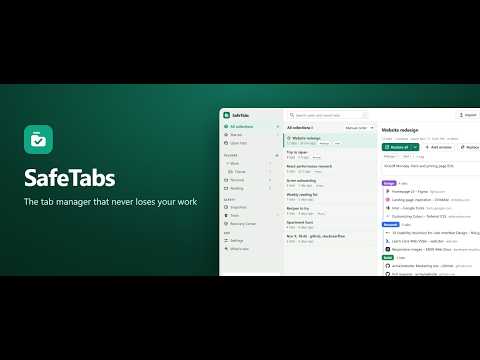
SafeTabs is a free tab manager and session saver for Chrome. Save all your open tabs in one click, restore a whole session after a crash, keep your tab groups, and suspend idle tabs to free up memory. Everything stays on your own computer. Too many tabs open? Save the window, close it, and bring it back whenever you need it. ✔ Free: every feature, unlimited tabs, collections and folders ✔ No account, no tracking, never replaces your new tab page ✔ Restores 500+ tabs without freezing Chrome (tabs load when you click them) ✔ Saves Chrome tab groups with their names and colours ✔ Import from OneTab, Session Buddy, Toby, Tab Session Manager, bookmarks or any list of links SAVE • Save the current window, all windows, selected tabs or one tab group • Optional "close tabs after saving" to free up memory • Popup, side panel, right-click menu and keyboard shortcuts • Organise with folders, tags, stars and notes; drag tabs between collections NEVER LOSE A SESSION • Automatic snapshots of your open windows, plus one whenever a window closes • After a crash or restart, SafeTabs offers to restore your last session • Undo for every delete, and a Trash that keeps items for 30 days • A second safety copy inside the browser, and optional daily backup files in your Downloads folder that survive a reinstall • Recovery Center with an integrity check and one-click export FIND • One search box for open and saved tabs, fast even with 10,000 saved tabs • Fuzzy or exact matching; optionally search your browser history too RESTORE • Restore into a new window or the current one • Large sessions open in small batches and stay asleep until clicked • Skip tabs that are already open TIDY UP OPEN TABS • See every window side by side and drag tabs between them • Find and close duplicate tabs • Tab suspender (off by default) using Chrome's own tab sleeping, so addresses never change • Auto-group rules: send sites to a named tab group by domain, wildcard or pattern • Optional limit on tabs per window IMPORT, EXPORT AND SHARE • Import from OneTab, Session Buddy, Tab Session Manager, Toby, bookmarks and plain URL lists • Export as JSON, Markdown, text or HTML • Share a collection as one standalone HTML page that works offline OPTIONAL AI HELP • Suggest a name or group tabs in a collection using your own Anthropic API key. Off by default; nothing is sent until you click. COMMON QUESTIONS • How do I save all open tabs? Click the SafeTabs icon and press "Save window". • Can I get my tabs back after a crash? Yes, from the automatic session snapshots. • Are tab groups saved? Yes, with names and colours. • Is it free? Yes, every feature. PRIVACY SafeTabs has no server. Your saved tabs stay on your computer. No analytics, no ads, no remote code. Extra permissions are only requested when you turn on the feature that needs them. Light, dark and black themes. Works in Chrome, Edge, Brave and other Chromium browsers.
0 out of 5No ratings
Details
- Version1.0.0
- UpdatedNovember 18, 2026
- Offered bynagipragalathan
- Size279KiB
- LanguagesEnglish
- Developer
Email
nagipragalathan@gmail.com - Non-traderThis developer has not identified itself as a trader. For consumers in the European Union, please note that consumer rights do not apply to contracts between you and this developer.
Privacy

SafeTabs – Tab Manager, Session Saver & Tab Suspender has disclosed the following information regarding the collection and usage of your data. More detailed information can be found in the developer's privacy policy.
SafeTabs – Tab Manager, Session Saver & Tab Suspender handles the following:
This developer declares that your data is
- Not being sold to third parties, outside of the approved use cases
- Not being used or transferred for purposes that are unrelated to the item's core functionality
- Not being used or transferred to determine creditworthiness or for lending purposes
Support
For help with questions, suggestions, or problems, visit the developer's support site