Item logo image for SafeSpace

SafeSpace

the-babel.com
5.0(

2 ratings

)
Item media 4 (screenshot) for SafeSpace
Item video thumbnail
Item media 2 (screenshot) for SafeSpace
Item media 3 (screenshot) for SafeSpace
Item media 4 (screenshot) for SafeSpace
Item video thumbnail
Item media 2 (screenshot) for SafeSpace
Item media 3 (screenshot) for SafeSpace
Item media 4 (screenshot) for SafeSpace

Overview

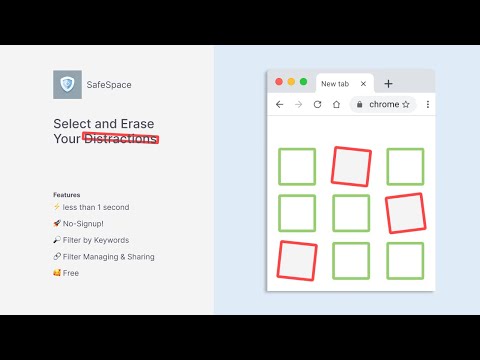
SafeSpace helps you hide unwanted content on any webpage by filtering text-matching elements.

However, this program is so effective that your web surfing experience might become excessively clean and productive. Here are the reasons why you might not want to install Safespace: 1. Loss of Simple Joys Stimulating and eye-catching images, memes, and humorous posts will vanish, potentially robbing you of straightforward, instant entertainment. Your leisure time might become overly productive. 2. Excessive Improvement in Focus With unnecessary distractions removed, you might find yourself too immersed in work or study. The luxury of taking a brief mental break may diminish, making the heightened productivity overwhelming. 3. Loss of Opportunities for Discomfort By blocking unpleasant content, even moderate challenges or discomfort may also disappear. Life could become too peaceful, potentially depriving you of growth opportunities fueled by stimuli. 4. Over-Saving of Time Since content is automatically filtered, unnecessary web surfing time is significantly reduced. You may face the pressure of deciding how to spend all the time you’ve saved. 5. Dopamine Detox Blocking stimulating content may reduce your brain’s dopamine production. Reflect on whether you’d truly prefer serenity and focus over the thrill of engaging web content. In conclusion, installing Safespace will transform your internet experience into an overly calm and efficient environment. While it could be a perfect choice if you’re ready to give up unnecessary distractions, keep in mind that its effects are not easily reversible once installed.

Details

  • Version
    1.3.0
  • Updated
    February 10, 2026
  • Size
    41.05KiB
  • Languages
    2 languages
  • Developer
    Website
    Email
    safespace@the-babel.com
  • Non-trader
    This developer has not identified itself as a trader. For consumers in the European Union, please note that consumer rights do not apply to contracts between you and this developer.

Privacy

Manage extensions and learn how they're being used in your organization
The developer has disclosed that it will not collect or use your data.

This developer declares that your data is

  • Not being sold to third parties, outside of the approved use cases
  • Not being used or transferred for purposes that are unrelated to the item's core functionality
  • Not being used or transferred to determine creditworthiness or for lending purposes

Related

Truple Web Filter for Chrome

5.0

A free web filter that blocks explicit content within Chrome.

Show All Padding & Margins

4.5

Highlights margins and padding for all HTML elements in any webpage.

TextFilter

5.0

Filter unwanted text based content by using specific keywords on web pages

Pause - Stop Mindless Browsing

4.5

Pause distracting websites before they open. Be mindful and intentional with your browsing using this simple extension.

MarkdownIt - Markdown Web Clipper

5.0

Markdown any web content

Element Hider - Clean Your View

5.0

Hide unwanted elements on any website. Just select an element, confirm - and it's gone forever! Supports restoring hidden elements.

UnSponsored

4.3

Hide sponsored content on web pages.

BlockNSFW – Porn & Adult Content Blocker

5.0

Blocks adult websites and inappropriate content using pattern matching and configurable filtering for safer browsing.

Distraction Control

5.0

An extension to hide distracting elements on websites and customize your browsing experience.

SavePage Pro - Web Content Extractor & Reader

5.0

Extract, save, and read web content in a clean, distraction-free environment. Auto-save pages and manage your reading collection.

Serenity

5.0

Transform any webpage with calming filters for focused, distraction-free browsing

Censor Words

4.0

A powerful content filtering extension that helps create a safer browsing experience with customizable word censoring.

Truple Web Filter for Chrome

5.0

A free web filter that blocks explicit content within Chrome.

Show All Padding & Margins

4.5

Highlights margins and padding for all HTML elements in any webpage.

TextFilter

5.0

Filter unwanted text based content by using specific keywords on web pages

Pause - Stop Mindless Browsing

4.5

Pause distracting websites before they open. Be mindful and intentional with your browsing using this simple extension.

MarkdownIt - Markdown Web Clipper

5.0

Markdown any web content

Element Hider - Clean Your View

5.0

Hide unwanted elements on any website. Just select an element, confirm - and it's gone forever! Supports restoring hidden elements.

UnSponsored

4.3

Hide sponsored content on web pages.

BlockNSFW – Porn & Adult Content Blocker

5.0

Blocks adult websites and inappropriate content using pattern matching and configurable filtering for safer browsing.

Google apps