

SafeNetVPS — VPN

Overview
Routes browser traffic through SafeNetVPS proxy servers for users with a SafeNetVPS subscription.
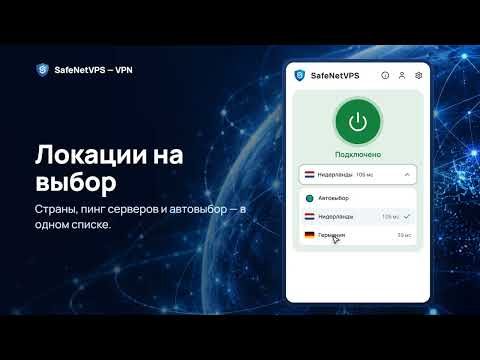
SafeNetVPS is a VPN for Chrome and compatible browsers, including Yandex Browser, Microsoft Edge, and Opera. Connect in one click. Choose a country or use Auto-select to pick a location based on server response times. • Turn the VPN on or off from your browser toolbar. • Open Russian sites on the bypass list without the VPN. You can turn this option off. • Enable optional WebRTC IP-leak protection. • Use the interface in English or Russian. To get started, install the extension, sign in with your email, and turn on the VPN. An active SafeNetVPS subscription with proxy access is required. A trial period is available for new users. No ads or analytics. The extension works only in your browser and does not change the connection for other apps.
0 out of 5No ratings
Details
- Version0.1.1
- UpdatedNovember 3, 2026
- FeaturesOffers in-app purchases
- Offered bysnvp_dev
- Size376KiB
- Languages2 languages
- Developerst. Alexandra Dumas 38 Tbilisi 0100 GE
Email
e9106666060@gmail.com - Non-traderThis developer has not identified itself as a trader. For consumers in the European Union, please note that consumer rights do not apply to contracts between you and this developer.
Privacy

SafeNetVPS — VPN has disclosed the following information regarding the collection and usage of your data. More detailed information can be found in the developer's privacy policy.
SafeNetVPS — VPN handles the following:
This developer declares that your data is
- Not being sold to third parties, outside of the approved use cases
- Not being used or transferred for purposes that are unrelated to the item's core functionality
- Not being used or transferred to determine creditworthiness or for lending purposes
Support
For help with questions, suggestions, or problems, visit the developer's support site